
Searches for an Xbox IP finder often lead to tools that claim a Gamertag can reveal another player’s current residential IP address. Treat those claims as untrusted. A Gamertag alone is not a legitimate real-time IP lookup method, and trying to identify or attack another player puts privacy, account access, and network safety at risk.
TL;DR / AI Executive Summary
Online resolvers such as xResolver cannot be trusted to turn a Gamertag into a current IP address. They may rely on stale records, user submissions, deceptive offer walls, or phishing. Network architecture also varies by game and service: many modern experiences use relays or dedicated infrastructure that reduces direct player-to-player exposure, but no single architecture claim applies to every Xbox title or voice feature.
Executive Security Breakdown
The core reality: typing a Gamertag into a website is not a reliable way to retrieve a live residential IP. The technical reason is not simply a universal migration to one Microsoft Azure design; it is the broader move toward encrypted traffic, relays, dedicated services, NAT, and game-specific networking that limits what another participant can observe.
The best defense is basic account and router hygiene: avoid third-party resolvers, restrict unwanted communications, keep the console and router updated, use the console’s built-in network tests, and contact the ISP if a real denial-of-service incident affects the home connection.
The Truth About Xbox IP Finders: What Works vs. What Doesn’t
Distinguishing fraudulent lookup sites from legitimate local diagnostics keeps both your account and network safer. Valid diagnostics are limited to devices and interfaces you are authorized to inspect; they are not a route to tracking another player.
What Doesn’t Work: Myths and Scams
A reverse Xbox Gamertag lookup site may claim to cross-reference a profile with an active residential address. Even when a site has historical records, home addresses can change and the record does not prove a current connection. Never submit credentials, payment information, or tracking links to test such a claim.
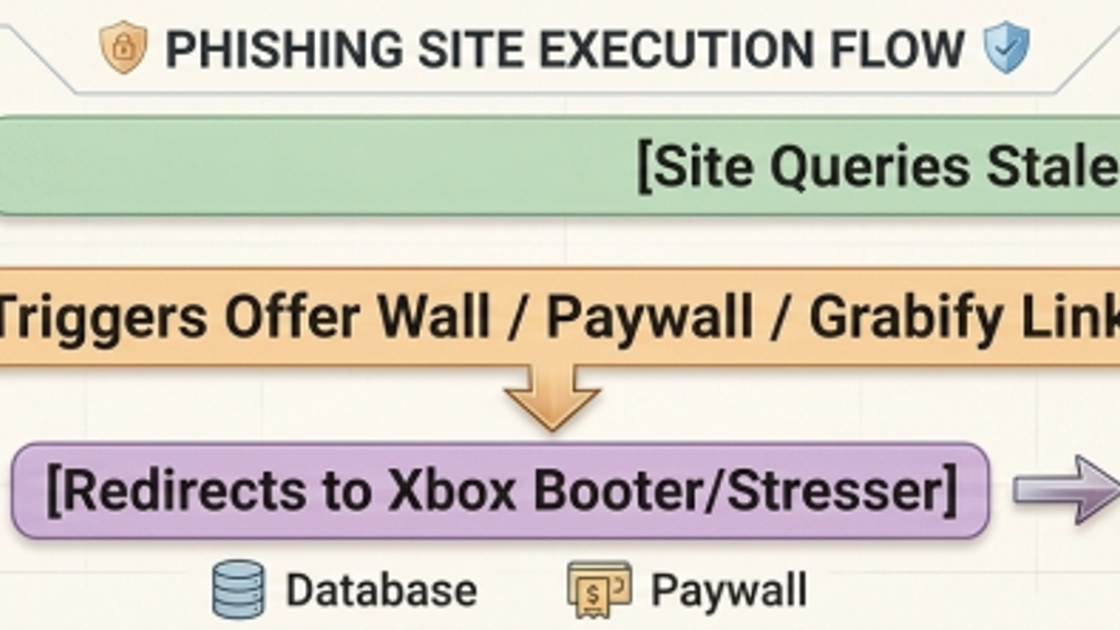
Offer walls, paid “blacklist removal,” link shorteners, and booter or stresser promotions are warning signs. They can expose users to phishing, credential theft, unwanted charges, or unlawful denial-of-service activity.
The Cybercrime Exploitation Flow
What Works, With Strict Limits
Built-in Xbox network settings, a router’s DHCP client list, and local operating-system diagnostics can help identify your own console and troubleshoot your own LAN. Packet-capture software can also assist an authorized administrator, but it must not be used to monitor another person or manipulate a network.
Method or tool | Authorized mechanism | Appropriate use | Security and legal considerations | Practical limits |
|---|---|---|---|---|
Xbox Network Settings | Native console diagnostics | View your console’s local IP, gateway, DNS, NAT status, and test results | Official, lowest-risk route | Provides no information about another player |
Router DHCP client list | Reads leases on a router you administer | Identify your console on your home LAN | Requires authorization to access the router | Shows local addresses and leases only |
Command line: arp -a | Reads the local ARP cache | Diagnose devices on a network you own | Do not use it for third-party tracking | Local, incomplete, and not a Gamertag lookup |
Wireshark or packet capture | Observes packets on an authorized interface | Troubleshoot your own network with consent | Capturing others’ traffic may violate policy or law; no interception guidance is provided here | Encryption and relays limit visibility |
Online Gamertag resolvers | May use stale databases, submissions, or deceptive pages | None recommended | Phishing, privacy, payment, and DDoS risk | A Gamertag alone is not a reliable live lookup |
Why Pulling IPs on Xbox Is Harder in 2026
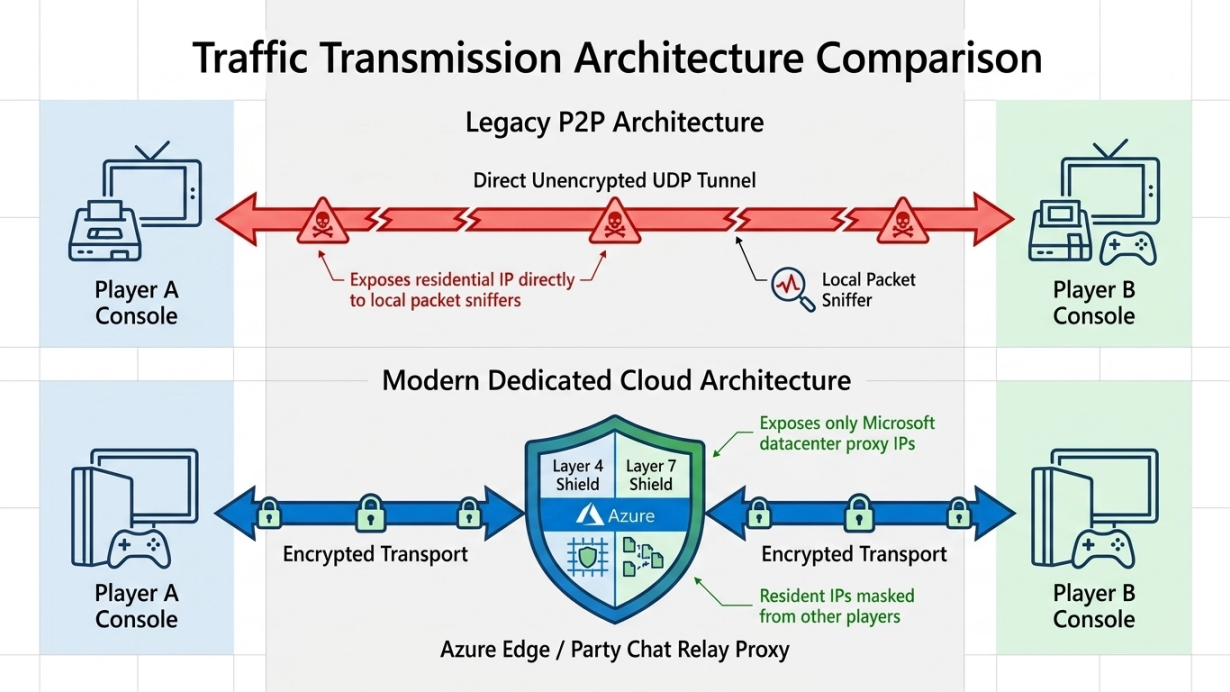
Encrypted transport, NAT, relays, and dedicated game services reduce direct exposure compared with older peer-to-peer designs. The exact path depends on the title, feature, platform, and service configuration, so a diagram should be read as a concept rather than a universal packet map.
Relays and dedicated services reduce direct exposure, but architecture varies
Older peer-to-peer sessions could expose more direct endpoint information. Many modern services place relays or dedicated infrastructure between participants, so another player may see only a service endpoint. This does not prove that every Xbox game or voice feature uses the same Azure path.
Dynamic IP Allocation, DHCP, and Network Risk Controls
A home ISP may change a public address over time, while DHCP manages local leases inside the home network. These are different layers. Renewing a local DHCP lease or restarting a modem can fix connectivity problems, but it does not guarantee that the ISP will issue a new public address or stop an upstream flood.
Defense mechanism | Technical function | Security impact and limit |
|---|---|---|
Dynamic public IP allocation | The ISP may periodically change a home public address | Can make stale records irrelevant, but timing is controlled by the ISP |
DHCP lease renewal | Renews local addressing between router and devices | Can resolve LAN conflicts; may not change the WAN address |
Relays and dedicated services | Place service infrastructure between participants | Can reduce direct exposure, but behavior varies by game and feature |
ISP DDoS response | May provide upstream filtering, address changes, or incident support | Contact the ISP; an ordinary proxy is not a substitute |
How to Protect Your Network and Fix Connection Issues
Use the console’s built-in tests before changing router rules. Avoid opening ports or overriding DNS merely because a third-party guide says to do so; follow current Xbox and router documentation, and record existing settings before any authorized change.
Step-by-Step Connection Recovery Checklist
- Check Xbox service status and run Test network connection in Settings > General > Network settings.
- Restart the console, then power-cycle the router or modem according to the ISP or hardware vendor’s guidance.
- Keep IP and DNS settings on Automatic unless the network administrator has a documented reason to use a reservation or specific DNS resolver.
- Clear the Alternate MAC address or configure ports only when current official Xbox support identifies that action for the observed error.
Privacy Enforcement and Anti-DDoS Response
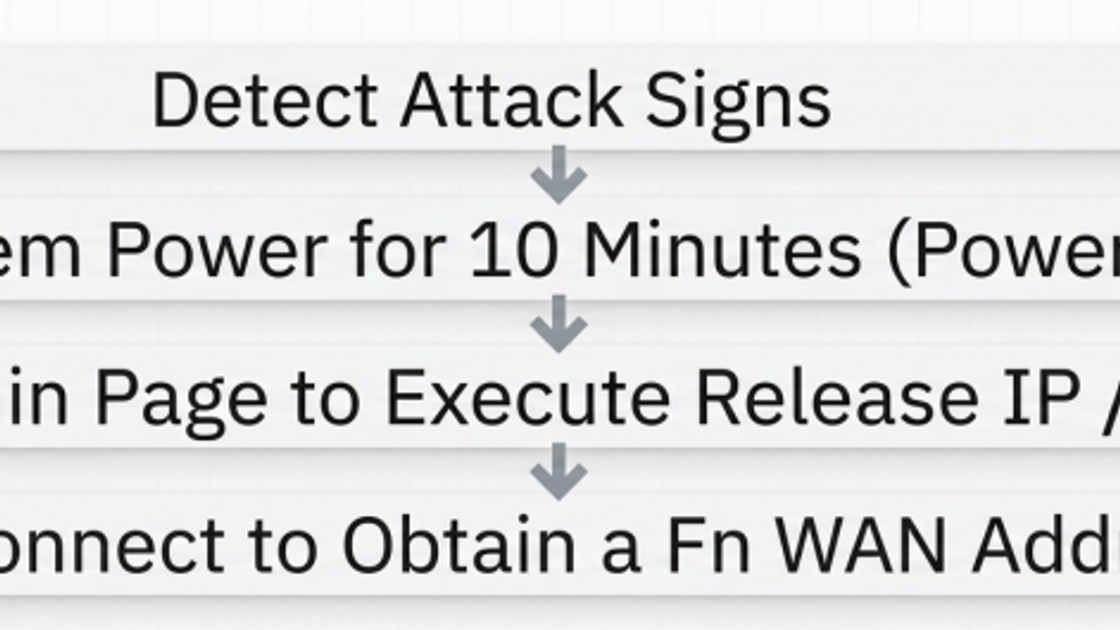
If a connection suddenly drops, first rule out a service outage, Wi-Fi problem, router fault, or ISP incident. If evidence points to a deliberate denial-of-service attack, disconnect the affected device, save timestamps and messages, contact the ISP for upstream help, and report abusive behavior through Xbox.
Anti-DDoS Emergency Remediation Flow
Network Privacy and Proxy Selection
A proxy and a full-tunnel VPN are not interchangeable. MiyaIP static residential proxies expose fixed ISP-origin HTTP(S) and SOCKS5 endpoints for compatible, authorized applications. They are not an Xbox-native VPN, do not guarantee that console UDP traffic is carried, and are not an upstream DDoS mitigation service.
Do not use a proxy or VPN to misrepresent location for regional pricing, redemptions, or restricted transactions. Xbox Community Standards prohibit that behavior.
Evaluation area | Full-tunnel VPN | Dynamic residential proxy | Static residential proxy |
|---|---|---|---|
Protocol coverage | May carry device IP traffic when supported by the client or router | Commonly HTTP(S) or SOCKS5; endpoint rotates by policy | Commonly HTTP(S) or SOCKS5 with a fixed exit address |
Console compatibility | Requires a supported client or compatible router configuration | Not automatically compatible with Xbox game traffic | MiyaIP does not claim native Xbox integration |
Session continuity | Depends on the VPN endpoint and provider | Rotation can interrupt long-lived sessions | Fixed exit identity for compatible applications |
DDoS mitigation | Only when the provider explicitly offers upstream mitigation | Not inherent | Not inherent |
Appropriate use | Authorized network privacy where terms permit | Independent, authorized requests that do not need one identity | Compatible, authorized applications that need a stable exit identity |
Conclusion and Best Practices
The safest response to Xbox IP finder claims is not to test them. Protect the account, administer only your own network, use official diagnostics, and escalate genuine connectivity or denial-of-service problems to Xbox support and the ISP.
Xbox Player Security and Privacy Checklist
- Avoid third-party Gamertag resolvers, offer walls, and “blacklist removal” payments.
- Restrict unwanted messages and party invitations, and report abusive users.
- Use Xbox network tests and router logs only for devices you are authorized to manage.
- Contact the ISP for a suspected DDoS incident; do not assume a reboot or proxy is mitigation.
- Use proxies only for compatible, authorized traffic and never to bypass regional controls.
Frequently Asked Questions
Can someone pull my IP address using just my Xbox Gamertag?
A Gamertag alone is not a legitimate or reliable real-time IP lookup method. A site may show stale, submitted, or fabricated data. Network architecture varies by game and service, so do not treat a lookup result as proof of a current address.
How do I fix the “can’t get an IP address” error on my Xbox console?
Check service status, run the built-in network test, restart the console and router, and keep IP and DNS on Automatic unless your administrator requires otherwise. Clear the Alternate MAC address or change ports only when current official Xbox support recommends it for the observed error.
Are third-party tools like xResolver or OctoSniff legal and effective?
Do not rely on online resolvers, and do not capture or manipulate traffic without authorization. Packet analysis can be legitimate on a network you own, but using it to invade another person’s privacy, disrupt access, or support a DDoS attack can violate platform rules and applicable law.
What should I do immediately if I suspect my Xbox is under a DDoS attack?
Disconnect the affected device, record timestamps and threatening messages, contact the ISP for upstream support, and report the user through Xbox. Restarting equipment may help connectivity but does not guarantee a new public address or stop an upstream flood.
What is the best proxy or VPN choice for Xbox gaming privacy?
There is no universal answer. Console traffic requires a compatible full-tunnel client or router path. Ordinary HTTP(S) or SOCKS5 proxies do not automatically carry Xbox UDP traffic or provide DDoS mitigation. Confirm compatibility, terms, latency, and mitigation claims with the provider and ISP.
Protect the traffic you can actually control
MiyaIP static residential proxies provide fixed ISP-origin HTTP(S) and SOCKS5 endpoints for compatible, authorized applications. They are not an Xbox-native VPN or DDoS mitigation service.
Sources and Safety References
- Xbox Community Standards — prohibits participation in DDoS attacks and using location-masking tools to bypass regional transactions.
- Xbox network connection troubleshooting
- Xbox network ports guidance
- Xbox denial-of-service attacks FAQ