
How to use NSLookup online
- Enter a domain or public IPNo URL paths; IP addresses use PTR.
- Choose a record type and modeChoose authoritative or recursive mode and its resolver.
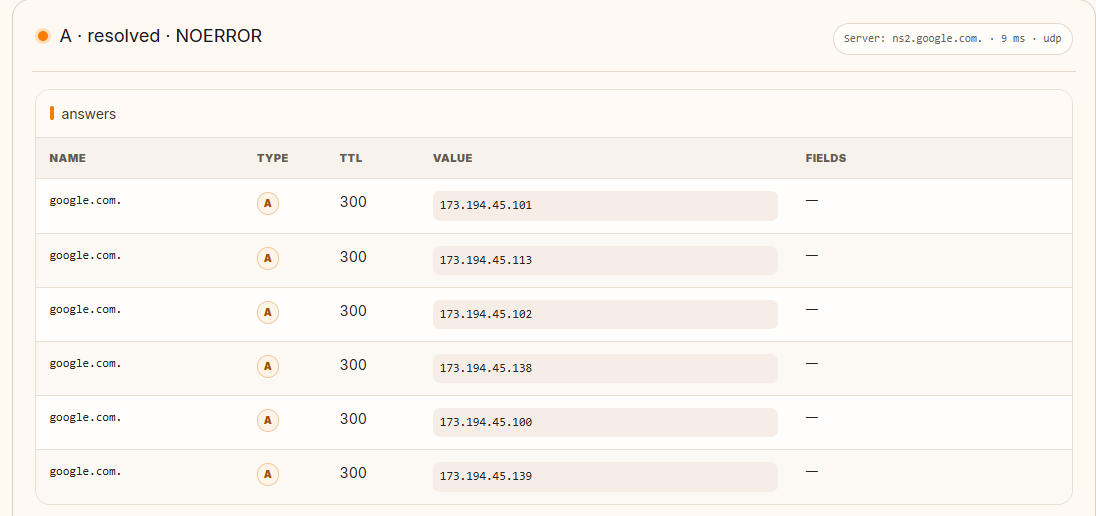
- Review the answerRead record values, TTL and responding servers.
MIYAIP TOOLS
Check DNS records online. Enter a domain or public IP, choose a record type, and run an authoritative or recursive lookup to view answers, TTL and resolver details.
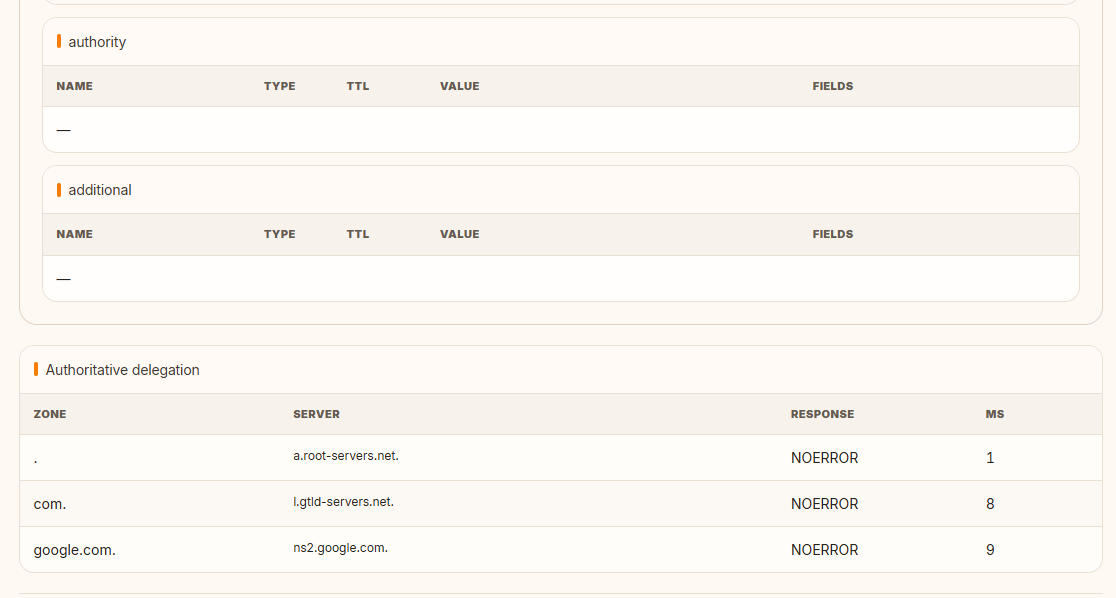
Authoritative mode begins with root delegation and continues until the target zone's authoritative name server is queried. The delegation path is not reused between requests, which emphasizes provenance and the answer currently published by the responsible server.
Recursive mode asks the selected public resolver for the final answer. That resolver may serve a cached record according to its TTL, so this view represents what users of that resolver can receive at the time of the query.
A and AAAA map names to IPv4 and IPv6 addresses; CNAME points one name to another; MX and TXT support mail routing and published policies; NS and SOA describe zone authority and administration.
CAA limits certificate authorities, SRV publishes service hosts and ports, and PTR maps an IP address to a reverse hostname. When the query value is a public IPv4 or IPv6 address, the tool automatically prepares the corresponding PTR lookup.
Answer, authority, additional, and delegation sections explain how a response was reached. A recent DNS change may produce different answers until caches expire, so compare resolvers, TTL values, and authoritative data before concluding that a record is missing.
Authoritative lookup requires the MiyaIP test server to reach public DNS servers on UDP or TCP port 53. If that path is blocked, the tool reports the mode as unavailable instead of presenting a recursive response as authoritative.
Choose a record type that matches the service question. An empty answer for one type does not mean the domain is broken; a domain can intentionally have MX and TXT records without an address at the same owner name.
| Type | Purpose | Common check |
|---|---|---|
| A | Maps a hostname to an IPv4 address. | Confirm the IPv4 destination used for a website or API. |
| AAAA | Maps a hostname to an IPv6 address. | Confirm IPv6 publication and compare dual-stack destinations. |
| CNAME | Aliases one DNS name to another canonical name. | Trace SaaS, CDN, and validation aliases; the owner normally cannot have unrelated data. |
| MX | Lists mail exchangers with preference values. | Verify inbound mail routing and whether each exchanger resolves. |
| TXT | Publishes arbitrary text split into character strings. | Inspect SPF, domain verification, and other policy tokens without assuming all TXT is email-related. |
| NS | Delegates a zone to authoritative name servers. | Confirm which servers should answer authoritatively. |
| SOA | Describes zone authority, serial, timers, and negative caching parameters. | Compare serial numbers and understand cache behavior for missing names. |
| CAA | States which certificate authorities may issue for the domain. | Check issuance policy before troubleshooting a certificate request. |
| SRV | Locates a named service with priority, weight, port, and target. | Inspect service discovery for protocols that define SRV usage. |
| PTR | Maps an IP address back to a hostname under a reverse zone. | Check reverse DNS for mail, logging, and network identification. |
A recursive resolver accepts a client question and follows cached data, root referrals, top-level-domain referrals, and authoritative answers as needed. It returns the result or an error and caches permitted data for later clients. Public recursive answers therefore show what that resolver currently knows, including valid cached data.
An authoritative server hosts the zone data for a delegated domain and answers from that authority rather than performing general recursion. Querying it helps separate a publication problem from a stale recursive cache. Delegation can still fail if parent NS or glue records are wrong, so compare the parent-side delegation with the child zone when results disagree.
TTL is a record owner’s maximum cache lifetime in seconds, not a countdown synchronized across the internet. Resolvers that fetched the old value before a change may retain it until their individual cache expires, while resolvers with no cached copy can see the new value immediately. This staggered replacement is commonly called propagation.
Lowering TTL before a planned migration can shorten the remaining lifetime of newly fetched records, but it cannot invalidate copies already cached under the old TTL. Negative answers can also be cached using SOA parameters. After a change, compare authoritative responses first, then several relevant recursive resolvers, and note the timestamp and remaining TTL.
The response code identifies a stage of failure, but one observation is not enough to assign blame. Repeat against an authoritative server and a second recursive resolver before changing a live zone.
| Result | What it usually means | Checks |
|---|---|---|
| NXDOMAIN | The queried name does not exist according to the responding authority or cached negative result. | Check spelling, search suffixes, delegation, owner name, and negative-cache age. |
| SERVFAIL | The resolver could not produce a valid answer. | Inspect DNSSEC validation, lame delegation, authoritative reachability, malformed replies, and upstream health. |
| REFUSED | The server understood the request but policy did not allow it. | Confirm recursion permissions, source ACLs, view configuration, and whether the server is intended for public queries. |
| Timeout | No usable reply arrived before the client deadline. | Try TCP and UDP where available; inspect firewall, packet size, routing, server availability, and local filtering. |
Enter only the domain or address in the tool and select the record type; do not paste a URL path such as https://example.com/page. For PTR, enter the IP address and let the tool build the reverse question. Command-line nslookup varies by operating system, but the following forms express the same basic record questions.
nslookup -type=A example.com
nslookup -type=AAAA example.com
nslookup -type=MX example.com
nslookup -type=TXT example.com
nslookup -type=CNAME www.example.com
nslookup -type=PTR 203.0.113.10
nslookup -type=NS example.com 1.1.1.1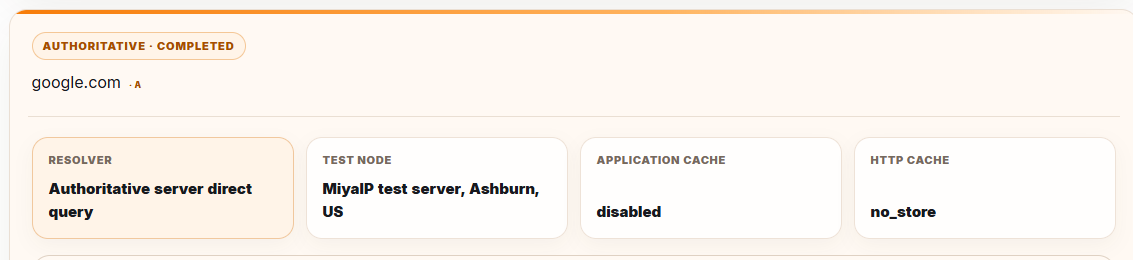
DNSSEC adds signatures and a chain of trust so validating resolvers can detect altered or unauthenticated DNS data. A broken DS-to-DNSKEY relationship can lead validating resolvers to return SERVFAIL even when a non-validating path shows records. Use the response details as a starting point, then inspect the signed delegation with dedicated DNSSEC tooling for production incidents.
For mail, check MX targets, confirm their A or AAAA records, review SPF TXT policy, and separately verify DKIM selectors and DMARC policy at their specified names. Reverse DNS is controlled by the address-space operator, not normally by the forward domain owner. A PTR should resolve as intended, but a matching forward record and mail-server configuration may also be required by receiving systems.
FAQ
Yes. Enter a public IPv4 or IPv6 address and MiyaIP automatically runs a PTR query for its reverse hostname. A missing PTR record does not make the IP invalid; many address owners simply do not publish reverse DNS.
TTL is a record field published by the authoritative server that tells recursive resolvers how long they may cache it. Displaying a TTL does not mean MiyaIP saved the record; another query repeats the delegation trace and authoritative request.
No. MiyaIP disables its own client and HTTP cache and sends a new request, but the public recursive resolver can use its own cache according to the authoritative TTL. The page therefore marks that recursive caching may exist.
DNS requests are made by the current MiyaIP application server. Its country, region, and city are estimated from the server's public network exit. They describe the query path and do not represent your device or DNS settings.
Authoritative Direct Check requires the server to reach public DNS servers over UDP or TCP port 53. If the hosting network blocks or intercepts direct DNS traffic, MiyaIP reports the mode as unavailable instead of presenting recursive answers as authoritative.
Recursive caches, filtering, split-horizon zones, DNSSEC validation, encrypted DNS settings, and propagation state can differ. Compare the authoritative answer and the recursive resolvers actually used by both networks.
A publishes an IPv4 destination and AAAA publishes an IPv6 destination. A dual-stack hostname may have both, and clients choose a usable path according to their networking behavior.
Yes, query TXT at the domain for SPF and at _dmarc.example.com for DMARC. DKIM uses a selector-specific name. Interpret each policy according to its own specification.
MIYAIP
Create an account to manage proxy products, or review rotating residential proxy pricing first.