Extract addresses from sitemap XML, or fetch a public sitemap index and its child files. Filter the list, remove exact duplicates and export a CSV that keeps each URL's source.
XML and UTF-8 files are processed in your browser. Local XML is limited to 200,000 characters, with a 2 MiB file limit before and after decompression.
Know whether the rows are pages or child files
Addresses returned by input type
Sitemap input
What the rows contain
Pasted or opened <urlset>
Page URLs from <url><loc>
Pasted or opened <sitemapindex>
Child sitemap addresses
Public URL pointing to an index
Page URLs collected from fetched child files
Pasted XML and opened UTF-8 files stay in your browser. The Index example uses fixed fictional files in your browser. Use Public sitemap URL to send an address to the service and follow its index. The service fetches public files using its own connection, independent of your browser session.
The extractor supports the standard sitemap namespace and documents without a namespace. It reads the direct loc and lastmod elements of each sitemap entry. Image, video and news extension addresses are excluded. The parser rejects DTD and ENTITY declarations.
Filter and export without losing the source
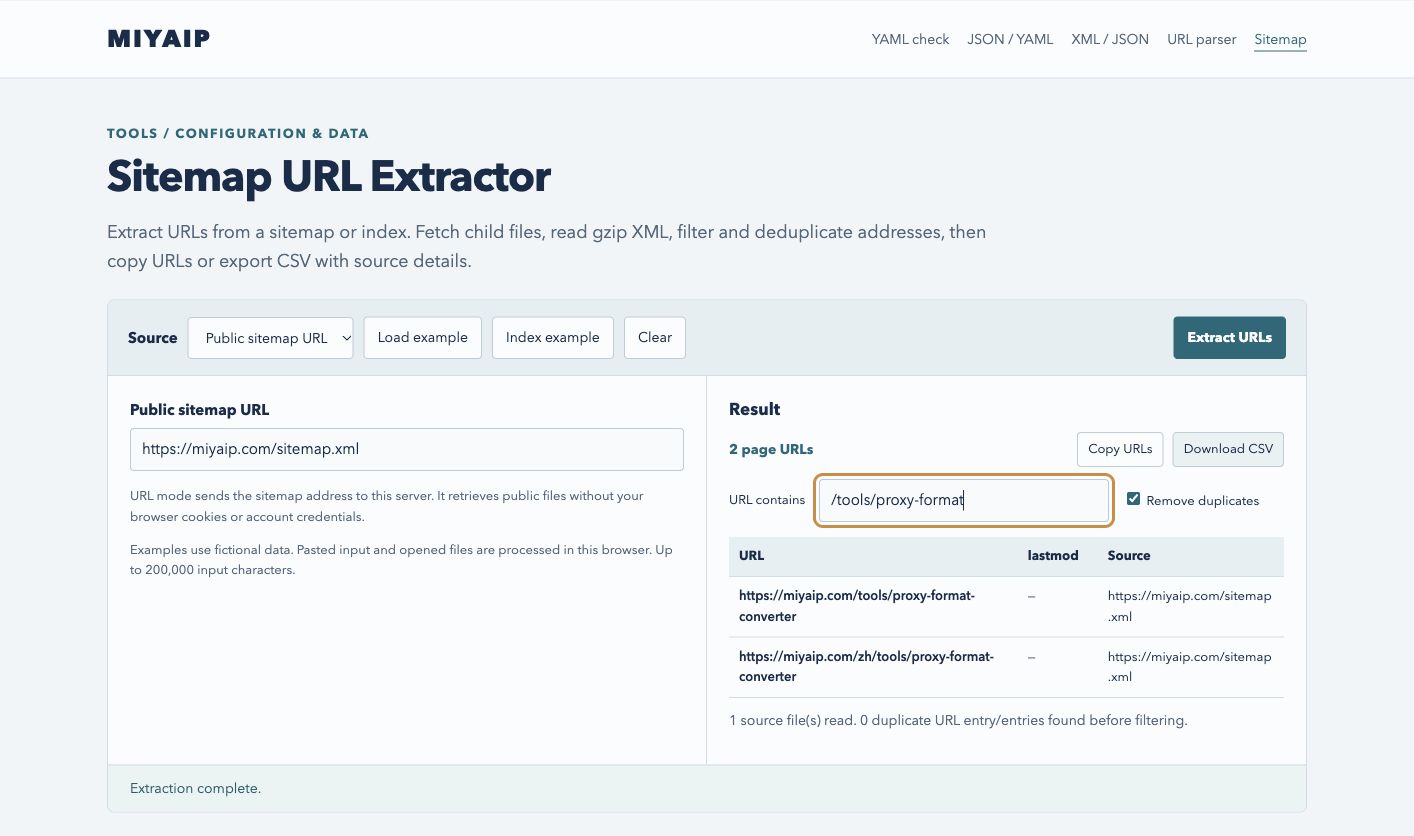
Enter /catalog/ in URL contains to keep matching addresses, ignoring case. Remove duplicates keeps the first occurrence of each identical URL and preserves its date and source. URLs with different trailing slashes or query strings remain separate.
Copy URLs copies one address per line. Download CSV includes url, lastmod and source. Both actions use the entire filtered selection, including rows beyond the 200-row preview. The CSV prefixes formula-like values with an apostrophe so spreadsheet software treats them as text.
The lastmod value comes from the sitemap publisher. Verify page change dates, HTTP status, crawl permissions and indexing separately if you need them.
Tool addresses filtered from MIYAIP’s public sitemap, with the original source retained.
Read partial results before using them
The public service accepts HTTP and HTTPS on standard ports and limits each address to 8,192 characters. It follows up to three redirects per file and reads up to three levels of indexes, counting the root as the first level. Each request has 25 seconds to read up to 20 files and return up to 10,000 page entries. Files can be up to 2 MiB before and after decompression, with a total expanded XML limit of 10 MiB.
The result shows the files read and their issues, including child file failures and limits reached. Filtering and deduplication preserve the partial result label. When the service limits requests, the workbench shows when to retry.
Pasted or opened UTF-8 XML can contain up to 200,000 characters. The browser also enforces a 2 MiB file limit before and after decompression. Opening a .gz file requires browser gzip support. For larger files, split the XML into smaller documents or enter the Sitemap’s public address.