Skip to tool

MIYAIP TOOLS

JSONPath Tester

Paste JSON and a JSONPath expression to inspect matching values and their locations. Use the result to check which records and fields your application will read before building an export or changing an API integration.

Workbench

Your input is processed locally in this browser.

jsonpath-js 0.3.1 · RFC 9535 · JSON: 500,000 characters · Expression: 2,000 · 2-second limit · Up to 500 matches

Results

Paste your input or load a fictional example.

Filter the sample catalog

The fictional example contains an items array with three products. Run $.items[?@.stock > 0].name to return Desk Lamp at $['items'][0]['name']. Travel Mug has stock 0; Notebook has stock null. Neither satisfies the positive-stock condition.

Input changes clear the old results. Invalid JSON, an invalid expression and a valid expression with no matches have different outcomes. An empty result is exported as an empty array, not replaced with example data.

Positive-stock filter
$.items[?@.stock > 0].name
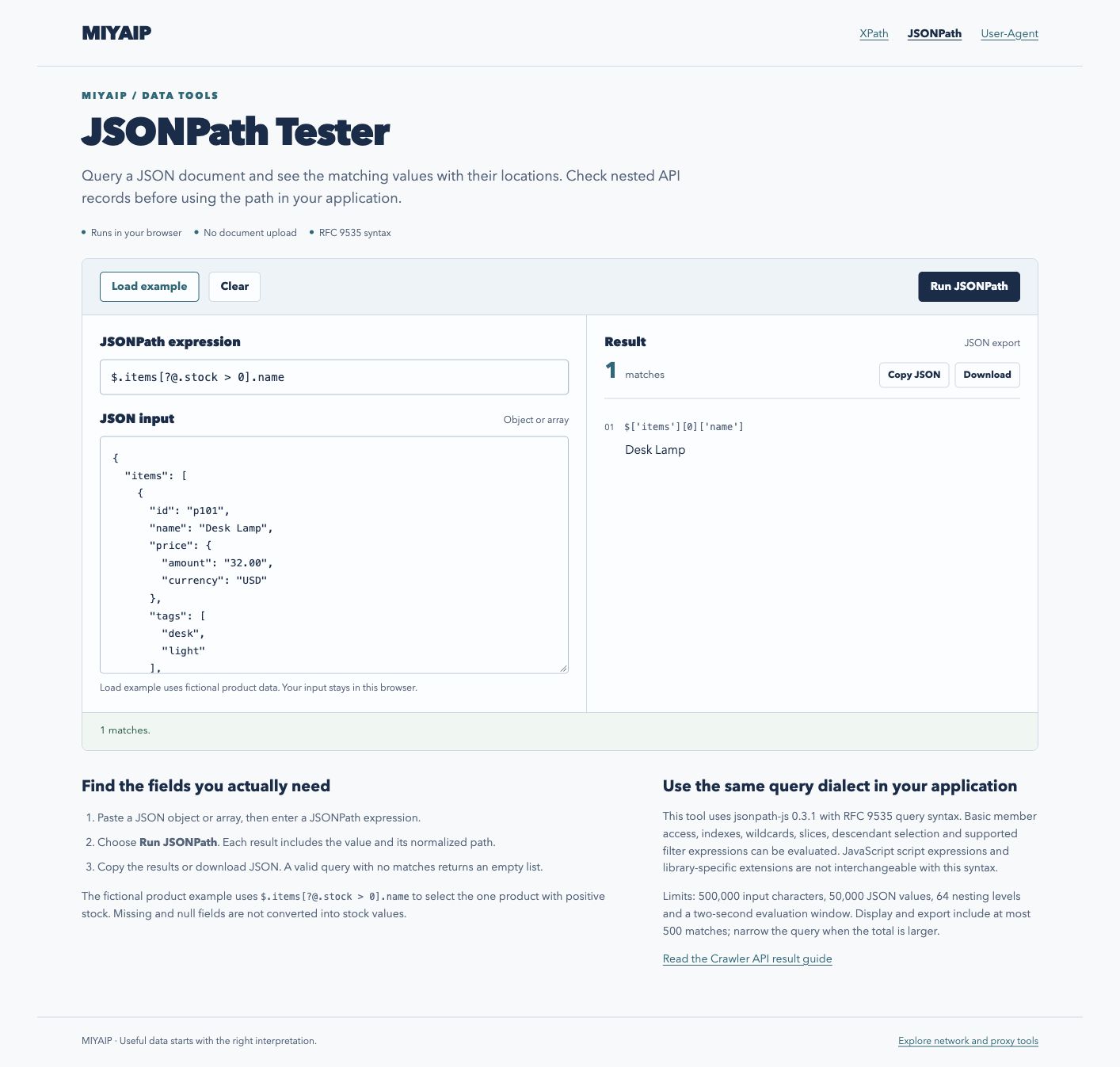
The JSONPath workbench returns Desk Lamp at its normalized path after filtering positive stock.
The positive-stock filter returns Desk Lamp from the fictional JSON sample.

Start from the actual response structure

The root symbol $ represents the complete JSON document. An array inside items requires a different path from an array at the root. Inspect the response before choosing a query:

Task Query for the fictional example
All product names $.items[*].name
First product ID $.items[0].id
Every price amount $.items[*].price.amount
Products with positive stock $.items[?@.stock > 0]
First two products $.items[0:2]

Each match includes a normalized path and its value. Two identical values can come from different records; use the paths when deciding whether you selected the intended records.

Match the query dialect to your application

This workbench uses jsonpath-js 0.3.1 with RFC 9535 query syntax. Member access, indexes, wildcards, slices, descendants and supported filters use that syntax. JavaScript script expressions and extensions from other JSONPath libraries are not interchangeable with it.

The input limit is 500,000 characters, 50,000 JSON values and 64 nesting levels. Queries run in a separate worker with a two-second evaluation window. Results display and export up to 500 matches; narrow the query if the total is larger. Input is processed in the browser and is not uploaded by this tool.

Use the result in a collection workflow

JSONPath selects data that already exists in the supplied JSON. It does not fetch a target URL, flatten a whole document into a CSV schema or create missing fields. For MIYAIP Crawler API, first obtain the actual task result using the documented task workflow, then inspect that interface's returned structure. The fictional items envelope here is an example, not a universal Crawler API response schema.

FAQ

Frequently asked questions

Why does the same query work in another tester but fail here?

Compare the two engines and their filter syntax. A library-specific JavaScript expression may not be an RFC 9535 query. Begin with a simple member path, confirm the input shape, then add the filter.

Can I distinguish null from a missing field?

Yes. Selecting an existing field whose value is null returns a match with null. Selecting a field that does not exist returns no match for that field. Neither outcome implies a numeric zero.

Can I query live MIYAIP results here?

Paste a JSON result you have already retrieved. Retrieve the task result first, then paste the JSON here to inspect its fields.

MIYAIP

Need a stable proxy network that scales?

Create an account to manage proxy products, or review rotating residential proxy pricing first.