Skip to tool

MIYAIP TOOLS

JSON to YAML Converter

Convert JSON to YAML, or turn a single YAML document into JSON. Review the output beside the input, then copy it, download it or move it back to the editor for the reverse conversion.

JSON and YAML workbench

Your input is processed locally in this browser.

200,000 characters · 50,000 values · 64 nesting levels

Results

Enter input or load an example.

Preserve values, not the original formatting

This fictional collection configuration contains strings, a number, a boolean and an array:

{
  "service": "catalog-collector",
  "region": "us",
  "retries": 3,
  "follow_redirects": false,
  "fields": ["id", "name", "price"]
}

Its YAML representation is:

service: catalog-collector
region: us
retries: 3
follow_redirects: false
fields:
  - id
  - name
  - price

Choose Use output as input, then Convert, to inspect the reverse result. The values and structure remain equivalent for this example. Indentation, quoting style and object presentation may change.
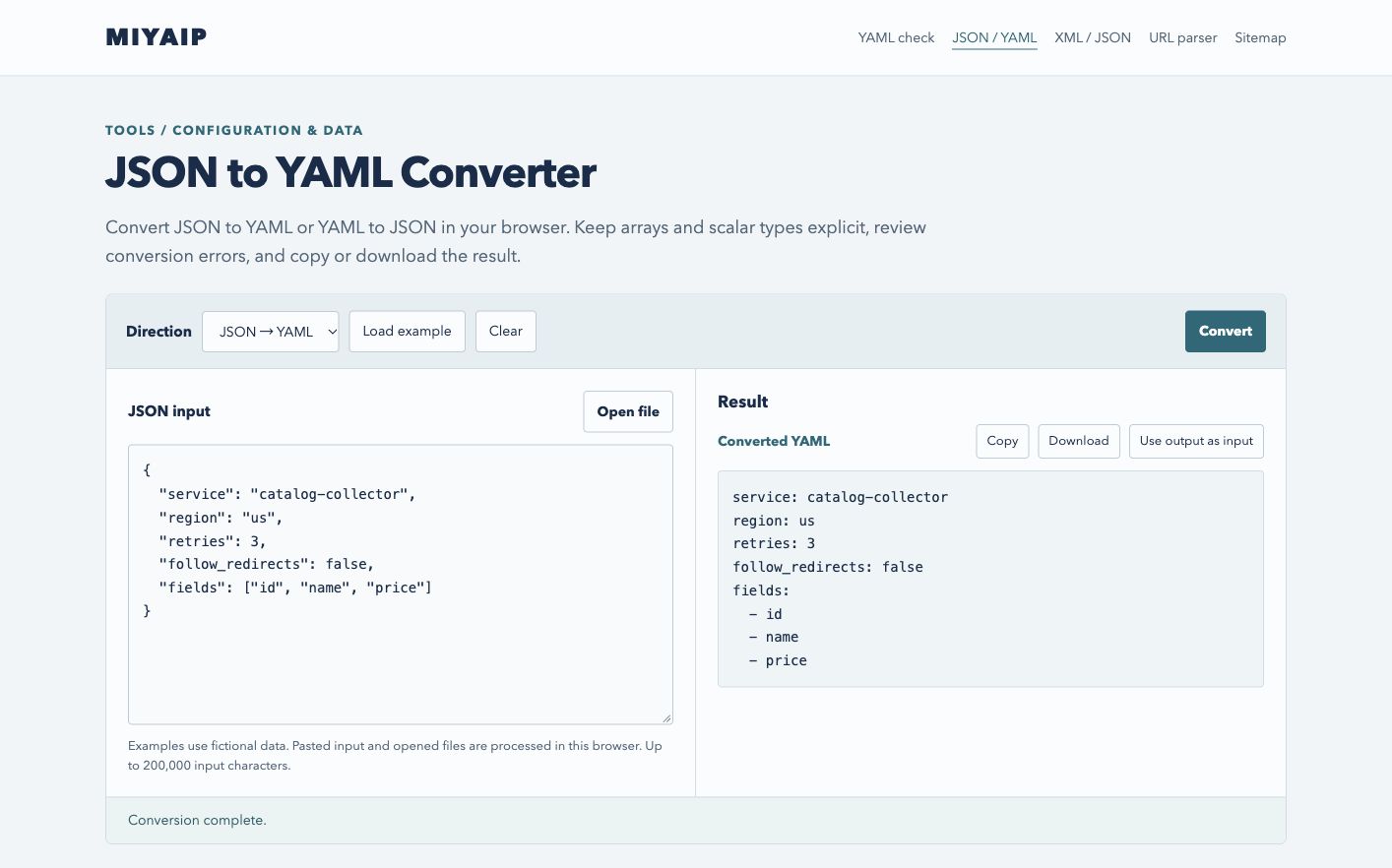
JSON and YAML workbench converting a collection configuration while retaining its value types.
A fictional collection configuration converted from JSON to YAML, with numbers, booleans and an array preserved.

Know which YAML features have a JSON equivalent

Input feature Conversion behavior
Strings, booleans, null, ordinary numbers, arrays and string-keyed objects Converted to their corresponding data types
Comments and formatting Not included in the converted data
Multiple YAML documents Rejected; convert one document at a time
Duplicate mapping keys Rejected, rather than choosing a value silently
Non-string YAML keys Rejected; quote keys that should become JSON object names
NaN, Infinity or cyclic aliases Rejected because JSON cannot represent them
Custom tags or unsupported values Reported as conversion errors

Ordinary acyclic aliases can resolve to repeated data within a bounded expansion limit. JSON does not preserve their shared identity or anchor names. Use a native YAML tool if those identities are important to the consumer.

Protect identifiers and decimal precision

An identifier such as 9007199254740993 exceeds JavaScript's safe integer range. The converter rejects numbers it cannot represent without precision loss. Quote identifiers and exact decimal amounts when they are data strings:

{"record_id":"9007199254740993","amount":"19.900"}

This keeps the ID and trailing zeroes explicit. It also changes their type to string; confirm that the receiving system expects strings. The converter does not infer a currency schema or repair an invalid configuration.

FAQ

Frequently asked questions

Will YAML comments be restored by a reverse conversion?

No. JSON contains data values, not YAML comments, anchors or layout. Keep the original YAML file when those details are needed.

Can I convert JSON containing duplicate property names?

The converter rejects duplicate names. Rename or remove the duplicate in the source, then retry.

Does conversion make a configuration compatible with my client?

It changes the serialization format. Field names, supported protocols and required values still come from the consuming application. For proxy connection fields, consult the MIYAIP protocol guide.

Continue with MIYAIP

Use the resulting data with the intended client or check the connection from the environment where it will run.

Build a proxy client configuration