Skip to tool

MIYAIP TOOLS

XPath Tester for HTML and XML

Paste an HTML response or XML document, enter an XPath expression, and inspect the selected values before adding the expression to your scraper. Run the query locally in your browser, then copy or download the result as JSON.

Workbench

Your input is processed locally in this browser.

XPath 1.0 · HTML/XML: 200,000 characters · Expression: 2,000 · Up to 500 matches

Results

Paste your input or load a fictional example.

Test an expression against the sample

The example contains three fictional product cards. The expression //article[@class="product"]/h2/text() returns Desk Lamp, Travel Mug and Notebook. Each result includes its location in the parsed tree. Changing the input clears the previous result, so the displayed output always belongs to the last completed query.

Product names
//article[@class="product"]/h2/text()
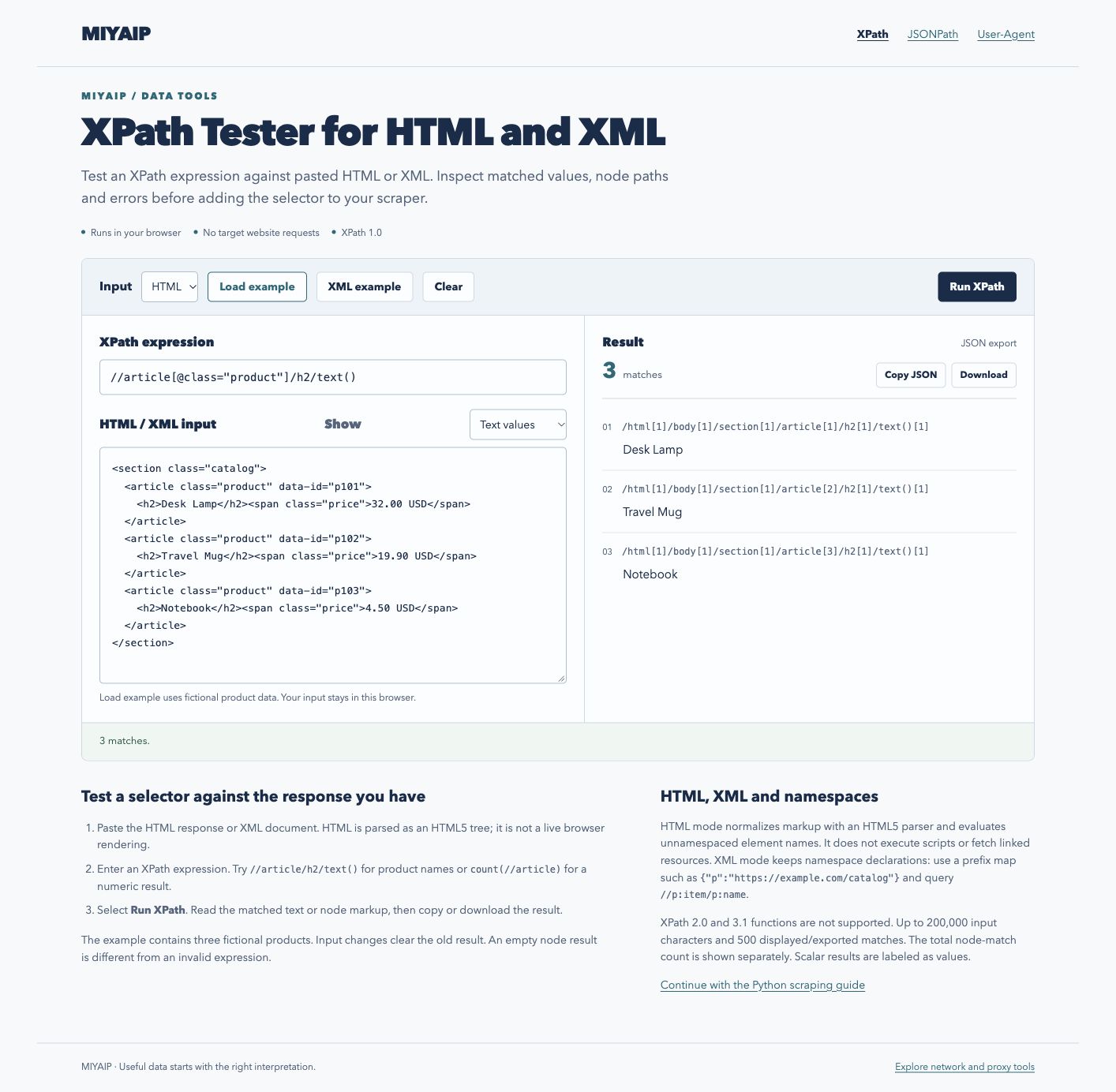
The XPath workbench shows three product-name matches and their locations.
XPath returns three product names from the fictional HTML sample.

Choose HTML or XML before running

HTML mode parses the supplied markup as an HTML5 tree. It normalizes the document structure, including implied elements, and evaluates unnamespaced element names. Scripts are not executed and linked resources are not fetched. Paste the actual response body when debugging a response-based scraper; a live browser DOM can contain elements that were added later by JavaScript.

XML mode preserves namespace declarations. In the XML example, the default namespace is https://example.com/catalog. Map it to a query prefix:

{"p":"https://example.com/catalog"}

Then evaluate //p:item/p:name/text(). The prefix is a local query label; the namespace URI is what identifies the elements. DTD and ENTITY declarations are not accepted.

Read values, nodes and empty results correctly

Expression Result in the HTML example
//article/h2/text() Three product names
//article/@data-id Three ID attributes
count(//article) One numeric value: 3
boolean(//article[@data-id='p999']) One boolean value: false
//article/h3 Valid expression, zero matches

Use Node markup when you need to inspect the selected element and its attributes. Use Text values when you need the extracted content. Numeric, string and boolean expressions produce a scalar value rather than a node-match count. The displayed node locations describe the parsed tree; adapt namespace prefixes before reusing a location as a query.

Supported syntax and document size

The workbench uses the browser's XPath 1.0 evaluation API. XPath 2.0 and 3.1 functions are outside its scope. HTML/XML input is limited to 200,000 characters and expressions to 2,000 characters. The result view and JSON export contain at most 500 node matches; the total count is shown separately.

If a selector works here but fails in a library, check that the library received the same document, uses the same namespace map and supports the same XPath version. ElementTree's abbreviated XPath support, for example, is different from a full XPath 1.0 engine.

FAQ

Frequently asked questions

Does this tool fetch a website?

No. It evaluates the document you paste. Getting the correct response, rendering JavaScript and following pagination remain separate steps in your scraping workflow.

Why does an XML query return no matches?

Check the document's default namespace and bind it to a prefix in the namespace map. An unprefixed element name does not automatically select elements in an XML default namespace.

Does matching a product name mean the page was fetched successfully?

It means the supplied document contains that match. Check the original response status, content type and expected records when you collect the source. MIYAIP's Python scraping guide covers the surrounding fetch-and-extract workflow.

MIYAIP

Need a stable proxy network that scales?

Create an account to manage proxy products, or review rotating residential proxy pricing first.