
Skip to tool

MIYAIP TOOLS

Convert cURL to Python Requests

Paste a cURL command and turn supported options into editable Python Requests code. Conversion runs in your browser. The converter does not execute the command or contact the target URL. Use example credentials when sharing commands. Check the generated method, URL, headers and body before running the code in your own environment.

Paste one cURL command to begin.

Conversion stays in this browser. The command is neither executed nor saved. Use example credentials when sharing.

Convert a command in three steps

  1. Paste one HTTP or HTTPS cURL command, or select Load example.

  2. Select Convert to Python. If an option is unsupported, the converter identifies it and leaves the output empty for manual review.

  3. Review and copy the code. Install Requests in your Python environment, then run the request only when you are ready to contact its destination.

The output adds a five-second connection timeout and a 30-second read timeout. These are starting values, not a total task deadline. Choose limits for your application; see the Requests timeout documentation.
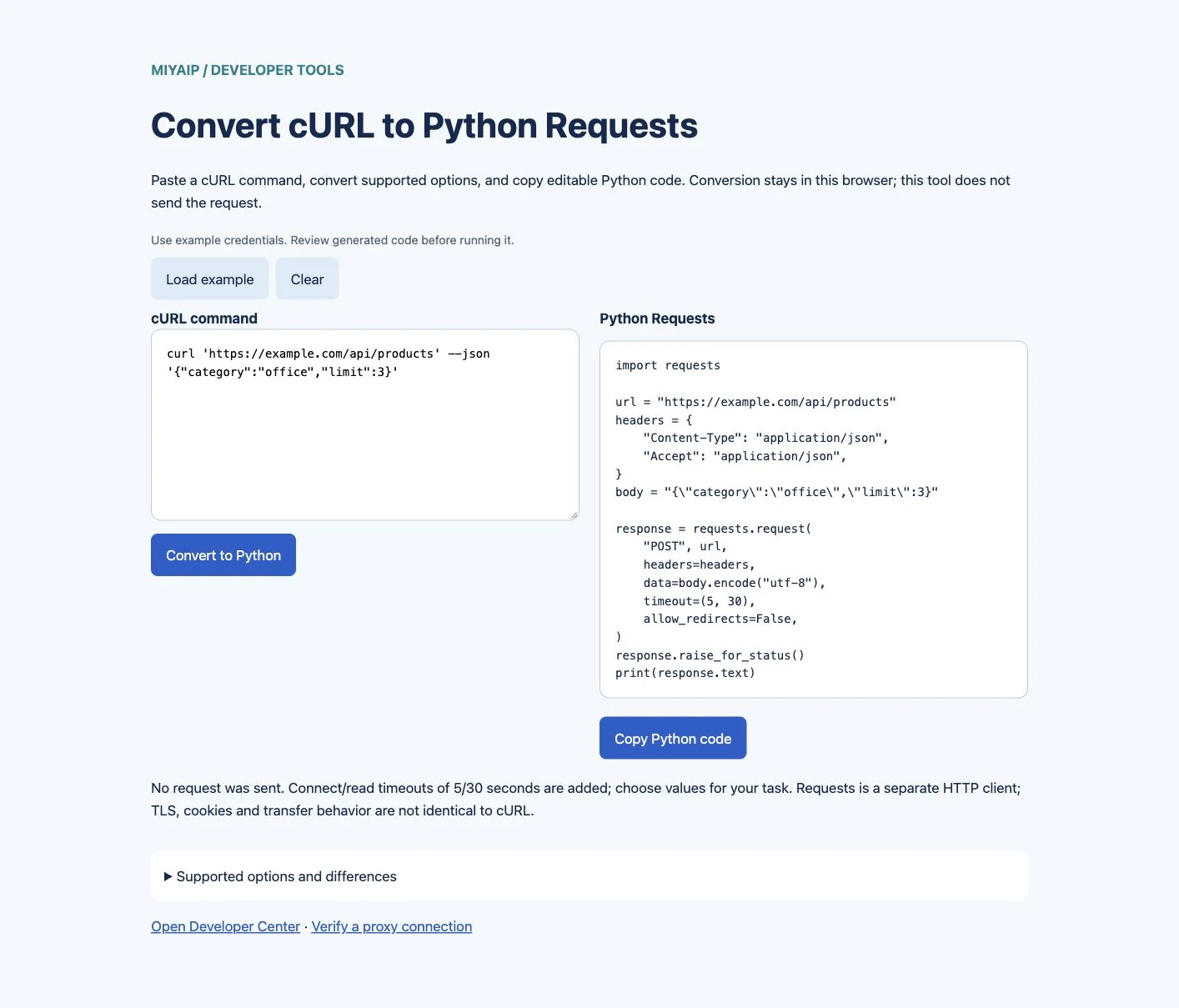
See what changes from cURL to Python

Input example:

curl 'https://example.com/api/products' \
  --json '{"category":"office","limit":3}'

Generated Python:

import requests

url = "https://example.com/api/products"
headers = {
    "Content-Type": "application/json",
    "Accept": "application/json",
}
body = '{"category":"office","limit":3}'

response = requests.request(
    "POST", url,
    headers=headers,
    data=body.encode("utf-8"),
    timeout=(5, 30),
    allow_redirects=False,
)
response.raise_for_status()
print(response.text)

The example uses a fictional endpoint. The converter preserves the inline JSON text as the request body and adds JSON headers.

Converter showing a JSON cURL command and the generated Python Requests code.
An inline JSON cURL command converted into editable Python Requests code.

Supported cURL options

Input Python output or behavior
One HTTP/HTTPS URL; --url Request URL
-X, --request Explicit HTTP method
-H, --header Header dictionary
Inline -d, --data, --data-raw, --data-binary UTF-8 request body
--data-urlencode name=value Encoded form data, or query values with --get
One --json body Validated JSON text plus default JSON headers
-G, --get Data arguments added to the URL query
-u, --user Example Basic authentication credentials
Inline -b, --cookie Cookie header
HTTP/HTTPS -x, --proxy Proxy settings for HTTP and HTTPS requests
-L, --location for GET/HEAD Redirect following enabled

Use separate option tokens: -X POST, not grouped short options. File inputs, multipart -F, shell substitutions, repeated headers and non-GET redirect combinations require manual review. Unsupported inputs stop conversion instead of producing an approximation that looks complete.

Review behavior before running the code

cURL and Requests are different HTTP clients. Converting their visible request settings does not reproduce the same TLS fingerprint, cookie store, compression behavior or all transport options.

The converter retains TLS verification and does not implement --insecure. It does not expand environment variables or execute command substitutions. Redirect following is disabled unless a supported --location option is present. If a redirect can change a POST method or body, review the request manually.

The generated code checks HTTP errors with raise_for_status(). APIs can also return application-level errors inside HTTP 200 responses; validate those according to the destination's documentation.

If your request uses a MIYAIP proxy, copy its actual protocol, host, port and authentication fields from your account. Use the connection verification guide before adding it to a larger script.

FAQ

Frequently asked questions

Does the converter send my command to a server?

Conversion is performed locally in the browser. The tool does not make the converted request. Copying and running the generated Python code is a separate action in your environment.

Why did an unsupported option stop conversion?

Some flags change files, shell behavior or request semantics that this converter does not model. Review that option manually rather than silently dropping it.

Why does Requests not return the same result as cURL?

Compare method, target URL, query values, body, credentials and redirect behavior first. The clients can still differ in networking and transport behavior after those fields match.

Is this the same as the proxy format converter?

No. This tool converts HTTP request commands into Python code. The proxy format converter converts proxy connection details into supported configuration formats.

Continue with a verified request

Start with a small request, inspect its response, and then add the generated code to your application.

Open Developer Center