
The useful distinction in Scrapy vs BeautifulSoup is the scope of the job. BeautifulSoup parses HTML you supply. Scrapy provides a crawling framework around requests, responses, link following, items and exports. They can be used together; they are not mutually exclusive ways to describe every scraping project.
Choose based on the work you need to manage, not a blanket claim that one library is faster or better. A short script can be easier to maintain for one known input. A framework becomes useful when the surrounding crawl needs consistent rules and repeatable execution.
Compare responsibilities before comparing code
Responsibility | Requests + BeautifulSoup script | Scrapy project |
|---|---|---|
Fetch the page | Your HTTP client | Scrapy downloader and request system |
Parse HTML | BeautifulSoup | Built-in selectors, or another parser you add |
Follow more pages | Your loop or queue | Scheduled requests and callbacks |
Track repeated URLs | Your code | Request filtering within the crawl; records still need validation |
Process and export records | Your code | Items, pipelines and feed exports |
Run repeatedly | Your job runner | Your job runner or a deployment service around Scrapy |
Render client-side JavaScript | A separate browser route | A separate browser integration when needed |
Scrapy's tutorial shows its request-and-callback workflow. For either approach, define the target scope, required records and access conditions before running the crawl.
Run the same two-page example with BeautifulSoup
Start the supplied demo_server.py with python3 demo_server.py. It serves two fictional product pages, linked by a next-page URL. Install Requests and BeautifulSoup, then save this as bs_products.py:
import json
from urllib.parse import urljoin
import requests
from bs4 import BeautifulSoup

url="http://127.0.0.1:8766/products"
rows=[]
with requests.Session() as session:
    for _ in range(5):
        response=session.get(url,timeout=(3,15)); response.raise_for_status()
        soup=BeautifulSoup(response.text,"html.parser")
        for card in soup.find_all("article",class_="product"):
            rows.append({"id":card["data-id"],"name":card.h2.get_text(strip=True),"price_usd":card.find("span",class_="price").get_text(strip=True).lstrip("$")})
        nxt=soup.find("a",rel="next")
        if nxt is None:break
        url=urljoin(url,nxt["href"])
print(json.dumps(rows,indent=2))
Run python bs_products.py. The script fetches a page, parses each record and follows the next link. The loop limit bounds the example, but you still own loop detection, retry rules, logging and file management as the project grows.
This version is easy to follow because the task is small. It makes each responsibility visible instead of hiding it behind a larger project structure.
Run the same extraction with a Scrapy Spider
Install Scrapy with python -m pip install scrapy. Save the following as products_spider.py:
import scrapy

class ProductsSpider(scrapy.Spider):
    name="products"
    start_urls=["http://127.0.0.1:8766/products"]
    custom_settings={"DOWNLOAD_DELAY":0.2,"DEPTH_LIMIT":5,"ROBOTSTXT_OBEY":True}

    def parse(self,response):
        for card in response.css("article.product"):
            yield {"id":card.attrib["data-id"],"name":card.css("h2::text").get().strip(),"price_usd":card.css(".price::text").get().strip().lstrip("$")}
        nxt=response.css('a[rel="next"]::attr(href)').get()
        if nxt:yield response.follow(nxt,callback=self.parse)
Run:
scrapy runspider products_spider.py -O scrapy-products.jsonThe example yields records for export and schedules the next page through response.follow(). -O overwrites the named output file; use a different filename if you need to retain an earlier run.
The supplied Spider enables robots.txt handling. Review the destination's robots policy and permitted access conditions when adapting the example.
Compare the records, not the console messages
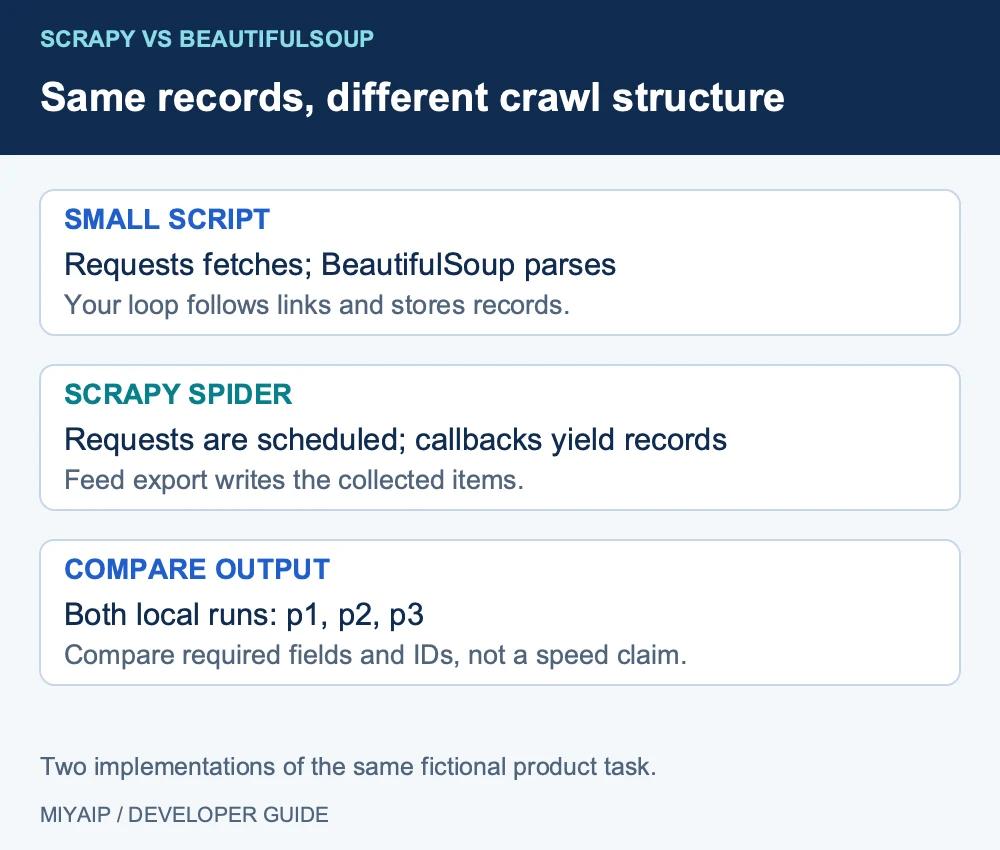
Both versions should extract these same identifiers from the supplied fixture: p1, p2 and p3. Compare required fields and identifiers rather than relying on record order, which can change when requests are scheduled concurrently.
Both versions leave price_usd as a string. That is an output choice for this example, not a limitation of either library. Parsing, missing-field handling and currency validation still need explicit rules.
An execution log saying “finished” does not show that the intended pages were visited. For a recurring job, retain page counts, record counts, failures and the reason the crawl stopped.
When to keep the small script
Keep Requests and BeautifulSoup when the input is limited and predictable, parsing is the main work and the script remains easy to inspect. Examples include transforming saved HTML samples, extracting one known table or maintaining a small, bounded report.
Do not migrate solely to replace a few lines of parsing. First identify the operational problem: repeated URL handling, inconsistent retries, multiple data destinations or difficulty tracing which request produced a record.
When a Scrapy project becomes useful
Scrapy is worth evaluating when you need a reusable crawl structure: several page types, many followed links, shared settings and pipelines that process records in a consistent way.
Move one task at a time. Preserve a known HTML fixture, expected records and required-field checks. Then port the request and parsing flow, compare output and add framework features only where they solve a specific problem. A migration that changes selectors, target scope and concurrency at once is harder to diagnose.
If your main difficulty is JavaScript rendering, moving from BeautifulSoup to Scrapy alone does not solve it. You need a supported browser integration or another data retrieval route.
Where MIYAIP fits
For a self-managed script or Scrapy project, MIYAIP supplies a proxy connection; your application still controls parsing and output. For a task available in the Crawler API catalog, you can submit a managed collection task and retrieve its result instead.
Choose that execution model separately from the HTML parser. Self-managed scripts use the proxy connection; supported managed tasks use the Crawler API interface and its published parameters.
Frequently asked questions
Can I use BeautifulSoup inside Scrapy?
Yes. You can parse a response body with another library when needed. Consider whether Scrapy's existing selectors already express the extraction before adding another dependency.
Is Scrapy always faster?
No universal result follows from the library name. Network latency, concurrency, rendering, parsing and target limits all affect elapsed time. Compare the same workload under explicit conditions if performance matters.
Which one is easier for a beginner?
A small Requests and BeautifulSoup script exposes fewer framework concepts. Scrapy introduces structure that can help with a larger crawl, but requires learning its request and callback model.
Keep a small parser when it meets the task. Add a crawling framework when managing the crawl becomes the problem. If you prefer a supported managed interface, inspect its inputs and output before changing your application.