
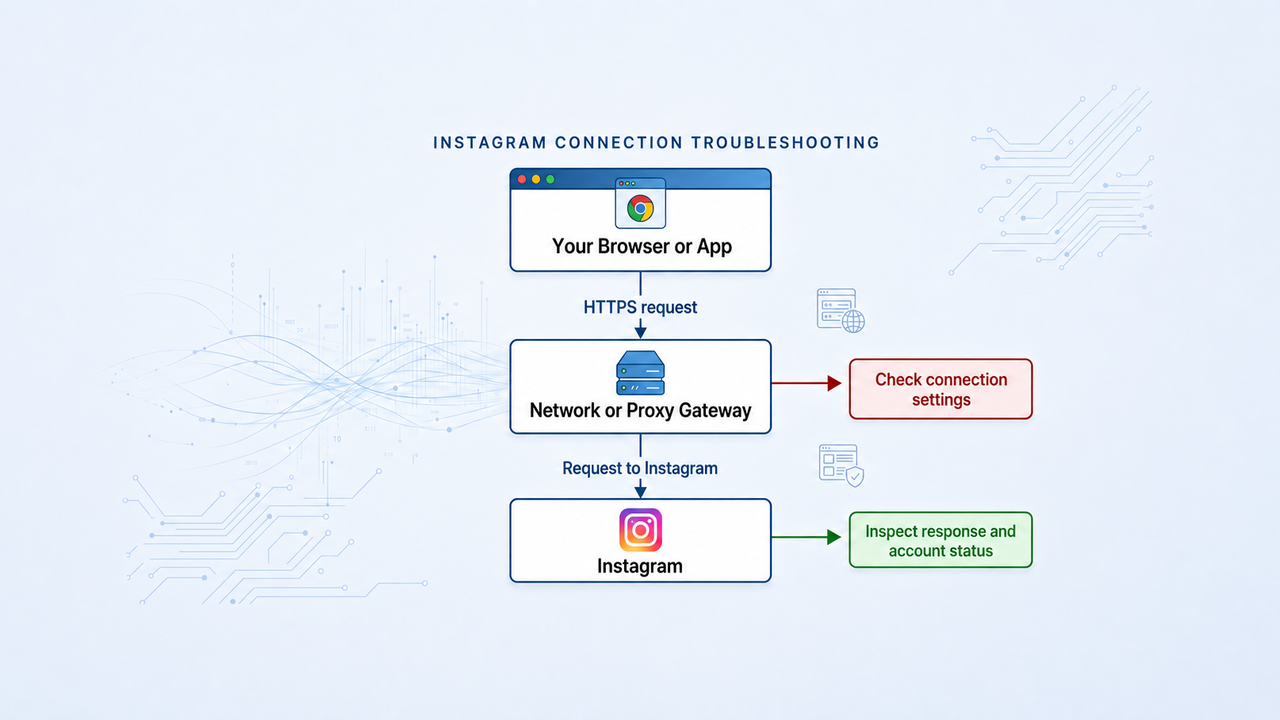
“Instagram IP ban” is often used to describe any sudden access problem: a page will not load, a login fails, or an action is temporarily unavailable. Those symptoms do not prove that Instagram has blocked a particular IP address. Connection failures, rate limits, session challenges and account restrictions require different responses.
The useful goal is to identify the failing layer, preserve account security and follow the appropriate recovery path. A proxy can help test or configure a network path in an authorized workflow. It cannot guarantee an unblock, reverse a disabled account or make prohibited activity acceptable.
Recognize the symptoms before changing settings
Symptom | Possible layer | What it does not prove |
|---|---|---|
Timeout, DNS error or failed connection | Device, resolver, local network or proxy path | That the account has been banned |
HTTP 407 from a proxy | Proxy authentication | That Instagram rejected the account |
HTTP 403 or access-denied page | Destination permissions or policy | That changing IP will resolve it |
HTTP 429 | Rate limiting | A fixed ban duration or an IP-only limit |
Challenge, checkpoint or verification prompt | Account or session verification | That the prompt can be skipped with a proxy |
Disabled or suspended account notice | Account enforcement | That repairing the connection restores the account |
The HTTP status definitions follow RFC 9110 and RFC 6585. An Instagram application message may provide more specific context than the status alone. Save the exact message and time, with credentials and personal details removed from any shared screenshot.
A step-by-step diagnostic and recovery process
Pause repeated attempts and capture the evidence
Stop automated jobs and repeated login or action attempts while you investigate. Record what failed: loading a page, authenticating, reading account data or performing a specific action. Note whether the error came from the browser, proxy service or Instagram.
Save the status, relevant response text and approximate start time. Do not collect passwords, session cookies or recovery codes in a support log. A short timeline of recent configuration changes is usually more useful than hundreds of identical retries.
Check the device and connection path
Confirm that the device has working internet access and that the browser or app is current. If you configured a proxy, verify its host, port, supported protocol and authentication using the settings issued by the provider.
For a one-time diagnostic, compare the affected connection with a familiar, trusted connection you are authorized to use. Change one variable at a time. If a path-specific difference appears, it narrows the investigation; it still does not prove why the destination treated the paths differently.
Inspect the Instagram account message
Read any account-status, security or verification notice in the official app or website. A login challenge, action restriction and disabled-account notice are different conditions. Follow the instructions attached to the actual condition.
For a challenge, use the Instagram Challenge Required guide as an orientation aid and complete the official verification process. Do not give verification or recovery codes to a third-party “unban” service.
Respond to rate limits without guessing a safe quota
If the response is 429, pause or reduce the relevant workload. Honor a Retry-After value when the service supplies one, and avoid independent workers immediately repeating the same request.
There is no universal request-per-minute, likes-per-day or 24-hour recovery rule established by the status code. If no retry guidance is supplied, stop repeated attempts and review the platform message and workload rather than inventing an exact countdown.
Secure access and use official recovery when needed
Review unfamiliar logins and connected services, secure the account’s email, update compromised credentials and enable two-factor authentication. Keep recovery methods under the rightful account owner’s control.
If the account is disabled, compromised or cannot pass verification, use the official recovery or appeal flow presented by Instagram. Network changes do not replace ownership verification or guarantee that an appeal will succeed.
Verify recovery and resume cautiously
After the underlying issue is addressed, perform one small check that matches the original failure. A successful homepage load does not prove that a restricted account action has recovered. Record what now works and what remains limited.
Resume only permitted workflows, with controlled concurrency and clear stopping conditions. If the same warning returns, stop and revisit the evidence instead of repeatedly rotating exits.
When a proxy change is relevant
A proxy configuration issue is relevant when the endpoint is unreachable, authentication fails or the selected network path does not meet an approved workflow’s requirements. Correct those issues using the provider’s current settings. Replacing a connection solely to continue activity that the destination has refused does not address permissions or account policy.
For a workflow that needs a consistent exit, MIYAIP static residential proxies provide fixed IP resources. Dynamic residential proxies support rotating or sticky sessions according to available configuration. Neither product promises Instagram account recovery, and frequent location changes can make diagnosis less clear.
Use the static proxy setup tutorial for connection configuration, and residential proxies explained for the basic networking model. Keep proxy credentials separate from your Instagram credentials.
Avoid actions that make recovery harder
- Do not pay for a guaranteed unblock or share recovery codes with someone claiming to have privileged access.
- Do not repeatedly reinstall, reset and change networks at the same time; you will lose the ability to identify which change mattered.
- Do not interpret a temporary successful request as evidence that an account-level restriction has disappeared.
- Do not erase useful diagnostic evidence before resolving the issue. Keep a minimal, privacy-conscious record of messages and changes.
Frequently asked questions
How long does an Instagram IP ban last?
There is no single verified duration for all access problems described that way. Follow the specific platform notice; a rate limit, verification request and account suspension have different recovery paths.
Does HTTP 403 confirm an IP ban?
No. It indicates refusal, but does not identify the sole cause. Inspect the response, account state and permissions.
Can a new residential proxy fix it?
It can change the connection path, which is relevant to some network faults. It does not guarantee recovery or override account restrictions.
Should I keep trying until a request succeeds?
No. Repeated attempts can add load and obscure the diagnosis. Pause, classify the failure and follow the corresponding recovery steps.
Where should I start if the account may be compromised?
Use the official app or website, secure the recovery email, review login activity and follow the account recovery process. Avoid third-party recovery promises.
Configure a stable connection for an approved workflow
If diagnosis confirms a networking requirement, compare MIYAIP’s static residential resources and use dashboard-issued settings.
Sources
See the linked HTTP standards, Meta’s account-security guidance and Instagram’s terms. Sources reviewed September 5, 2026. This guide deliberately does not assign a fixed Instagram request limit or recovery deadline.