
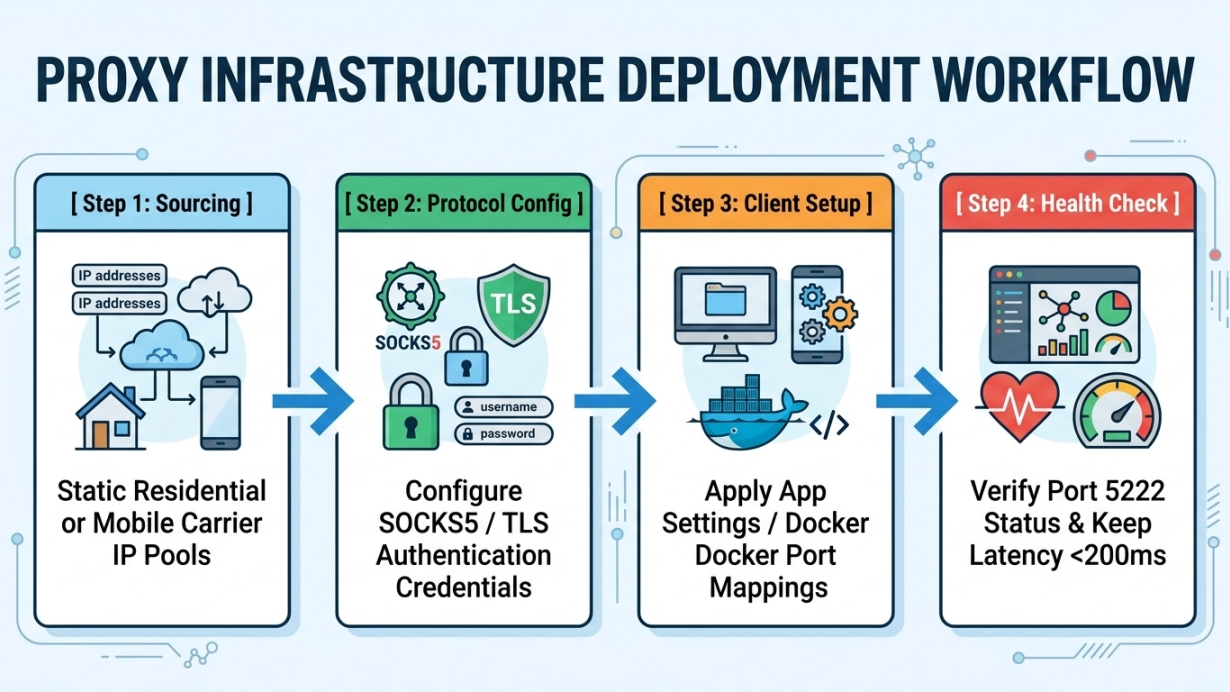
A WhatsApp proxy can provide an alternative network path when a device cannot connect directly to WhatsApp. The native feature preserves WhatsApp's end-to-end encryption because the proxy forwards transport traffic rather than decrypting message payloads. This guide explains the official TCP proxy, MIYAIP proxy products used through compatible clients, Docker deployment, client configuration, and operational checks.
Quick-Start Deployment Roadmap
Six-step deployment roadmap
Choose the correct routing path
Use WhatsApp's official TCP proxy when the native app needs a gateway to WhatsApp servers. Use a commercial HTTP(S) or SOCKS5 service only through a compatible system-level or proxy-aware client. These paths are not interchangeable.
Provision an authorized endpoint
For the native path, use a VPS or server you are authorized to administer. For other authorized workflows, select a MIYAIP static residential, rotating residential, or mobile route according to session stability and location requirements.
Deploy the official WhatsApp proxy
Pull the official facebook/whatsapp_proxy image or build the open-source repository, then run it with only the ports required for your deployment.
Configure ports and firewalls
WhatsApp's repository documents TCP ports 80, 443, and 5222 for core connections, with additional media and load-balancer ports for specific deployments. Keep the HAProxy statistics endpoint private.
Configure the client
In WhatsApp, open Settings > Storage and Data > Proxy, enter the authorized proxy host, save, and confirm the connection indicator. For system-wide routing, configure the separate client according to its own documentation.
Verify and monitor
Check container health, firewall rules, TLS behavior, connection continuity, and logs that exclude credentials or message content. Start with a small authorized test before wider use.
Core Proxy Selection Quick-Reference
Routing option | Connection model | Good fit | Important limit |
|---|---|---|---|
WhatsApp native proxy | TCP gateway to WhatsApp servers | Restoring app connectivity in adverse networks | Not a normal HTTP or SOCKS5 proxy |
MIYAIP static residential | Stable ISP-associated exit through a compatible client | Authorized workflows needing a persistent regional route | Not entered directly in WhatsApp's native proxy field |
MIYAIP rotating residential | Residential pool with rotating or sticky sessions | Authorized regional web QA and public-data workflows | Rotation can interrupt long-lived sessions |
MIYAIP dynamic mobile | Carrier-associated mobile exits | Authorized mobile-network and regional application testing | Availability and session behavior vary by live inventory |
WhatsApp Proxy Native Mechanism and End-to-End Encryption
A native WhatsApp proxy changes the transport path between the client and WhatsApp servers. Signal Protocol encryption keys remain on the communicating devices, so the proxy does not receive the private keys needed to read message content. The proxy operator can still observe network metadata such as connection time, source address, and transferred volume, which is why administrator trust and logging controls remain important.
Core architectural mechanics
The client connects to an authorized proxy host. That host forwards TCP traffic to WhatsApp infrastructure and returns the response over the established route. WhatsApp's official implementation uses HAProxy and documents separate listeners for direct connections, TLS, load balancers, media, and local statistics.
client device -> authorized WhatsApp TCP proxy -> WhatsApp servers
       Signal Protocol protects message payloads end to end
Security analysis
- Signal Protocol integrity: the proxy transports encrypted application data and does not hold the endpoint private keys.
- Transport privacy: use a host and administrator you trust, restrict access, and protect server credentials and logs.
- Scope: a proxy changes network routing; it does not grant permission to automate accounts, bypass enforcement, or ignore platform terms.
Proxy Protocol Stack Comparison and Official Support Limits
The source Word document combined native WhatsApp proxying with HTTP, HTTPS, SOCKS5, and UDP routing. The official WhatsApp proxy FAQ makes a narrower distinction: the native proxy is TCP forwarding and does not support an intermediary HTTP proxy or SOCKS gateway.
Protocol or layer | What it does | WhatsApp native field | Typical MIYAIP use |
|---|---|---|---|
WhatsApp TCP proxy | Copies TCP traffic to WhatsApp infrastructure | Supported | Separate from MIYAIP forward-proxy credentials |
HTTP/HTTPS forward proxy | Forwards proxy-aware HTTP requests | Not supported as an intermediary by the official proxy | Browsers, APIs, and authorized web tools |
SOCKS5 | Forwards TCP and, when supported by the client, UDP | Not supported by the official native proxy field | System-level or SOCKS5-aware clients |
TLS | Encrypts a transport connection | Used on the official 443 listener | Use secure transport whenever the chosen product and client support it |
Official port allocation
Port | Official role | Deployment note |
|---|---|---|
80 | Core TCP listener | Can be remapped; it is not a normal website endpoint |
443 | TLS-protected TCP listener | The client expects TLS on 443; do not remap it casually |
5222 | Core WhatsApp messaging listener | Can be exposed when required by the deployment |
587 / 7777 | Additional whatsapp.net and media traffic | Use only when required by the official deployment guidance |
8080 / 8443 / 8222 | Listeners expecting a PROXY protocol header | Relevant behind a compatible load balancer |
8199 | HAProxy statistics and metrics | Bind or firewall it for local or trusted administrative access only |
Residential vs. Mobile vs. Datacenter Proxies
MIYAIP offers several proxy models for authorized system-level, browser, API, and public-web workflows. Network origin and session behavior are separate design choices; none guarantees account access, request acceptance, anonymity, or freedom from platform enforcement.
Proxy category | Network origin | Session behavior | Authorized selection principle |
|---|---|---|---|
Static residential / ISP | ISP-associated dedicated address | Persistent exit | Choose when a stable regional identity is a documented requirement |
Rotating residential | Residential network pool | Rotating or time-limited sticky session | Choose when regional diversity matters more than a permanent exit |
Dynamic mobile | 3G/4G/5G carrier networks | Pool and session controls depend on inventory | Choose for legitimate mobile-network testing |
Datacenter | Hosting or cloud network | Often stable and operationally simple | Choose when speed, scale, and predictable infrastructure matter |
Selection principles
- Choose MIYAIP Static Residential Proxy when an authorized compatible client needs a persistent ISP-associated route.
- Choose MIYAIP Dynamic Residential Proxy when authorized regional web work benefits from rotating or sticky residential sessions.
- Choose MIYAIP Dynamic Mobile Proxy for legitimate mobile-network and regional application testing through compatible tools.
- Use a datacenter route when operational simplicity, throughput, and predictable server infrastructure matter more than consumer-network origin.
Step-by-Step Client Configuration Guide
For WhatsApp's native option on iOS or Android, open Settings > Storage and Data > Proxy, enable the proxy setting, enter the authorized host or domain, save, and check the connection indicator. Interface wording may vary by app version and locale.
Native app checklist
- Confirm that the host belongs to you or to an operator you trust.
- Confirm that the required TCP listener is reachable from the device network.
- Enter the proxy host in WhatsApp's native settings and save.
- Run a small connection test without sharing confidential information.
- If the connection fails, check DNS, firewall rules, listener mapping, TLS on port 443, and container health.
System-level and desktop routing
A separate HTTP(S) or SOCKS5 client can route compatible applications or operating-system traffic, but that configuration sits outside WhatsApp's native proxy field. Confirm protocol support, avoid exposing credentials, and do not use routing changes to evade account or platform controls.
Enterprise Use Cases and Responsible Operations
Legitimate deployments include restoring connectivity in adverse networks, testing an owned application's behavior across authorized network routes, and maintaining a controlled gateway for support teams. Enterprise messaging automation should use the official WhatsApp Business Platform and approved integration methods rather than unofficial account automation.
Public vs. managed proxy comparison
Control | Free or public proxy | Private or managed proxy |
|---|---|---|
Operator trust | Unknown or difficult to verify | Provider or administrator can be assessed |
Authentication | Often open or shared | Username/password, token, IP allowlist, or server access controls |
Availability | Unpredictable and frequently offline | Defined service or infrastructure monitoring |
Privacy | Logging and traffic handling may be undisclosed | Policies and technical controls can be reviewed |
Operational fit | Unsuitable for sensitive or production work | Prefer for authorized enterprise deployments |
Privacy and compliance checklist
- Document the business purpose, target systems, lawful basis, and platform authorization before deployment.
- Use ethically sourced network resources and review the provider's privacy, logging, abuse-handling, and consent controls.
- Store proxy credentials in a secret manager or environment variables, never in screenshots, source control, or shared tickets.
- Minimize logs and retention; do not record message content or unnecessary personal data.
Building a Dedicated WhatsApp Proxy with Docker
WhatsApp maintains an open-source HAProxy-based implementation. The official repository offers a pre-built image and source build instructions. Review the repository before deployment because ports, images, and operational guidance can change.
docker pull facebook/whatsapp_proxy:latest

docker run -d --name whatsapp_proxy --restart unless-stopped \
  -p 80:80 -p 443:443 -p 5222:5222 \
  -p 8199:8199 \
  facebook/whatsapp_proxy:latest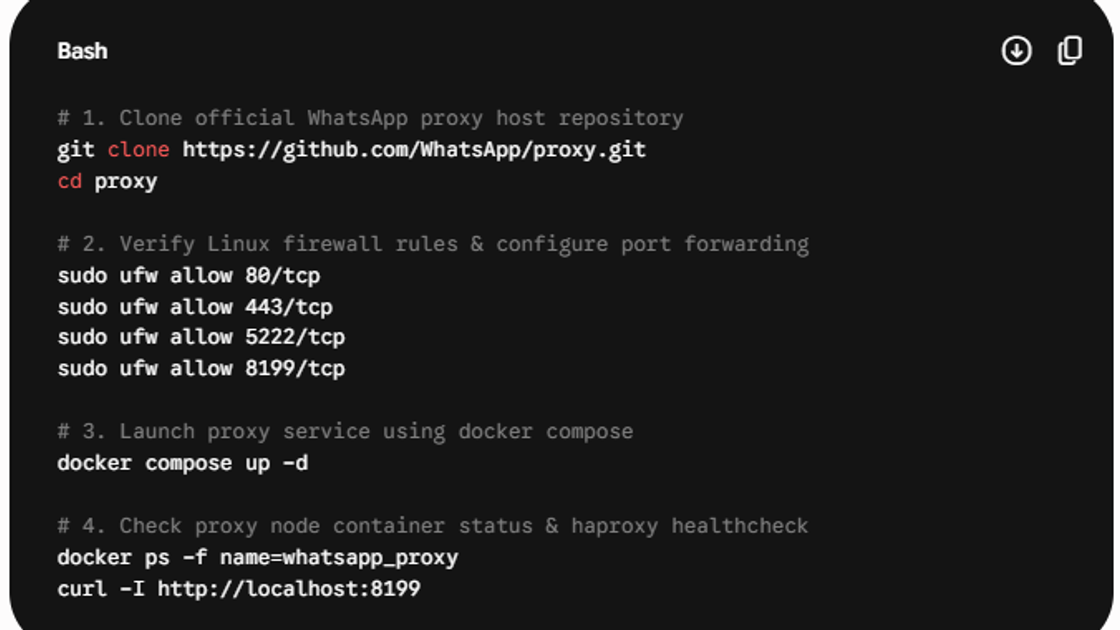
Docker Compose example
version: '3.8'
services:
  whatsapp-proxy:
    image: facebook/whatsapp_proxy:latest
    container_name: whatsapp_proxy
    restart: unless-stopped
    ports:
      - '80:80'
      - '443:443'
      - '5222:5222'
- '8199:8199'Proxy Performance Verification and Selection Metrics
Do not copy universal success-rate, ban-rate, or latency promises into an operational plan. Measure the route that matters to your authorized deployment, record the environment, and define pass criteria before scaling.
Check | What to verify | Pass condition |
|---|---|---|
Container health | docker ps and HAProxy health | Service is running without restart loops |
Port reachability | Only required public listeners | Expected ports connect; administrative ports remain private |
TLS behavior | Certificate and listener mapping | Port 443 completes the expected TLS connection |
Connection continuity | Small authorized message test | Connection remains stable for the required session |
Logs and secrets | Runtime logs and monitoring exports | No credentials, private keys, or message content are exposed |
Policy review | Local law and platform terms | The documented use is authorized before scale-up |
Health-check commands
docker ps --filter name=whatsapp_proxy
curl --fail --silent --show-error http://127.0.0.1:8199/ > /dev/null
curl --fail --silent --show-error http://127.0.0.1:8199/metrics | head
Minimal Python health check
import requests

response = requests.get('http://127.0.0.1:8199/', timeout=5)
response.raise_for_status()
print('WhatsApp proxy health endpoint is reachable')
Operational Monitoring and Route Evolution
Modern operations can combine service health, route availability, regional requirements, and incident signals to choose among approved routes. Automation should optimize reliability within documented authorization, not attempt to neutralize platform defenses or conceal prohibited behavior.
- Monitor container restarts, listener availability, TLS errors, and connection failures.
- Use conservative change windows and a rollback path when updating Docker images or firewall rules.
- Separate production, test, and administrative credentials and revoke them when no longer needed.
Implementation Checklist and Enterprise Next Steps
- Decide whether the requirement is WhatsApp's native TCP proxy or a compatible system-level forward proxy.
- Record authorization, legal review, ownership, and incident contacts.
- Deploy the smallest official port set that supports the required feature.
- Protect credentials, statistics, logs, and administrative access.
- Test connectivity and recovery with a small representative workload.
- Monitor, review, and retire the route when the business need ends.
Frequently Asked Questions
WhatsApp proxy FAQ
Does configuring a WhatsApp proxy compromise end-to-end encryption?
The native proxy changes the transport route, while WhatsApp message payloads remain protected by Signal Protocol end-to-end encryption. The proxy can still observe connection metadata, so use an operator you trust and minimize logs.
Can I enter a MIYAIP HTTP or SOCKS5 endpoint in WhatsApp's native proxy field?
No. WhatsApp's official proxy FAQ says the native proxy performs TCP forwarding and does not support an intermediary HTTP proxy or SOCKS gateway. MIYAIP endpoints require a compatible system-level or proxy-aware client.
Why does WhatsApp show Connection Failed?
Common causes include an unreachable host, blocked TCP port, incorrect port mapping, TLS problems on port 443, DNS failure, or a stopped container. Check firewall rules, docker ps, and the private HAProxy health endpoint.
Is it safe to use a free public WhatsApp proxy?
Public proxies may have unknown operators, logging practices, access controls, and availability. Avoid using them for sensitive or production communication; prefer an endpoint you administer or a provider whose controls you can assess.
Does a residential or mobile IP guarantee account safety?
No. An IP type does not guarantee access or protect an account from enforcement. Follow WhatsApp terms, use official business APIs for automation, and maintain legitimate account and device behavior.
Disclaimer
Sources
Build an authorized proxy workflow with MIYAIP
Use a stable ISP-associated route when a compatible client needs persistent regional connectivity, and review setup and billing guidance before deployment.