
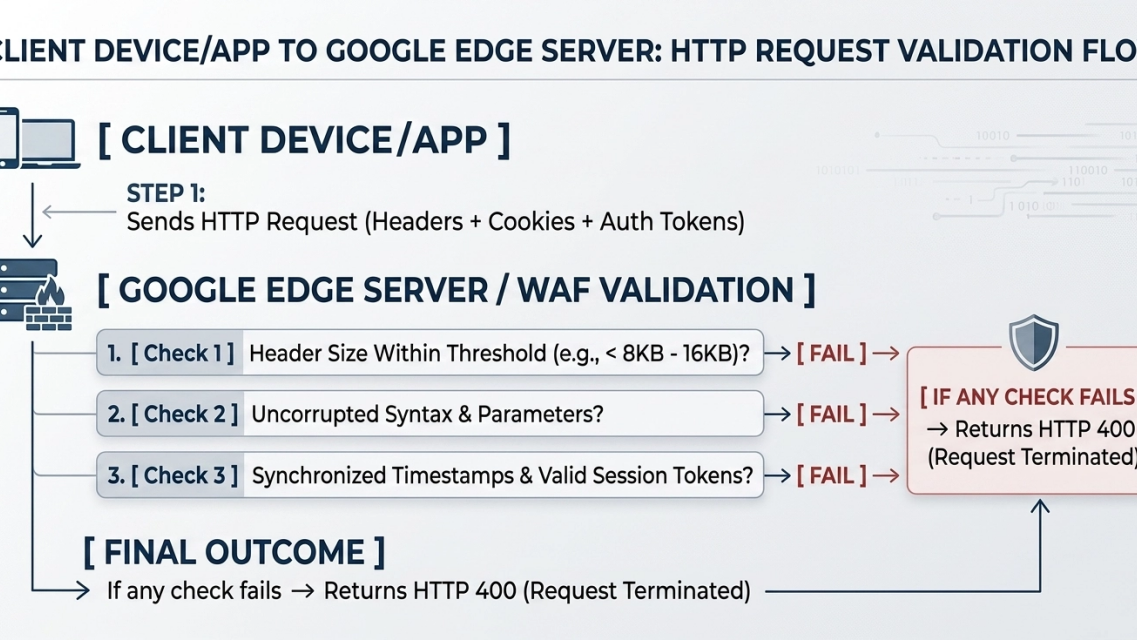
YouTube Error 400 can look like a backend crash, but HTTP 400 means the service could not process the request because of something it perceived in the request. Practical causes include damaged app or site data, an outdated official client, incorrect device time, an interfering extension, or a network path that changes the request.
TL;DR Executive Summary
Update and restart the official YouTube app or browser, test a private window, remove only YouTube/Google site data if needed, enable automatic date and time, and temporarily disable suspect extensions. Test a direct connection before changing DNS, VPN, or proxy settings. A residential proxy does not grant access permission or guarantee acceptance.
Mobile Quick Fix Matrix (Android, Samsung, iOS)
YouTube Error 400 on mobile can follow damaged app storage, stale session state, clock mismatch, or an outdated client. Menu labels differ by OS version and manufacturer.
Symptom | Likely cause | Recommended action | Verification |
|---|---|---|---|
“There was a problem with the server [400]” at launch | Damaged local storage or stale sign-in state | Update the official app, restart it, then clear cache or reinstall only if the error remains. | Sign in again if prompted and retry one video. |
Endless loading or failed playback | Device date, time, or time zone is incorrect | Enable automatic date, time, and time zone, then restart the app. | Compare with another network and retry. |
Immediate 400 on every video | Outdated official client or unsupported OS | Update from Google Play or the Apple App Store; use a supported browser if the OS cannot run the current app. | Confirm the current app/browser version and retry. |
Do not treat success-rate numbers as a guarantee; results depend on the actual cause, client version, account state, and network.
Desktop Quick Fix Matrix (Chrome, Edge, Safari)
On desktop, damaged site data or an extension can contribute to a 400 response. A private-window test is useful, but it changes both stored state and extension behavior and cannot prove one specific cause.
Diagnostic method | Execution path | Technical objective |
|---|---|---|
1. Isolated private-window test | Open an Incognito/InPrivate/Private window using the browser menu. | Compare a clean session with the normal profile. |
2. Targeted site-data removal | In browser settings, open privacy/site data, search for youtube.com and, only if necessary, relevant Google sign-in data. | Remove site-specific state without wiping every website. |
3. Extension audit | Open the browser’s extensions manager and temporarily disable likely content, privacy, or network modifiers. | Determine whether an extension changes or blocks a request. |
Understanding YouTube Error 400: What Does It Actually Mean?
The Technical Anatomy of HTTP 400
RFC 9110 defines 400 Bad Request as a response indicating that the server cannot or will not process a request because of something perceived as a client error. That category does not prove the user caused the problem and does not identify a single failure mode.
Why YouTube Displays "There Was a Problem with the Server [400]"
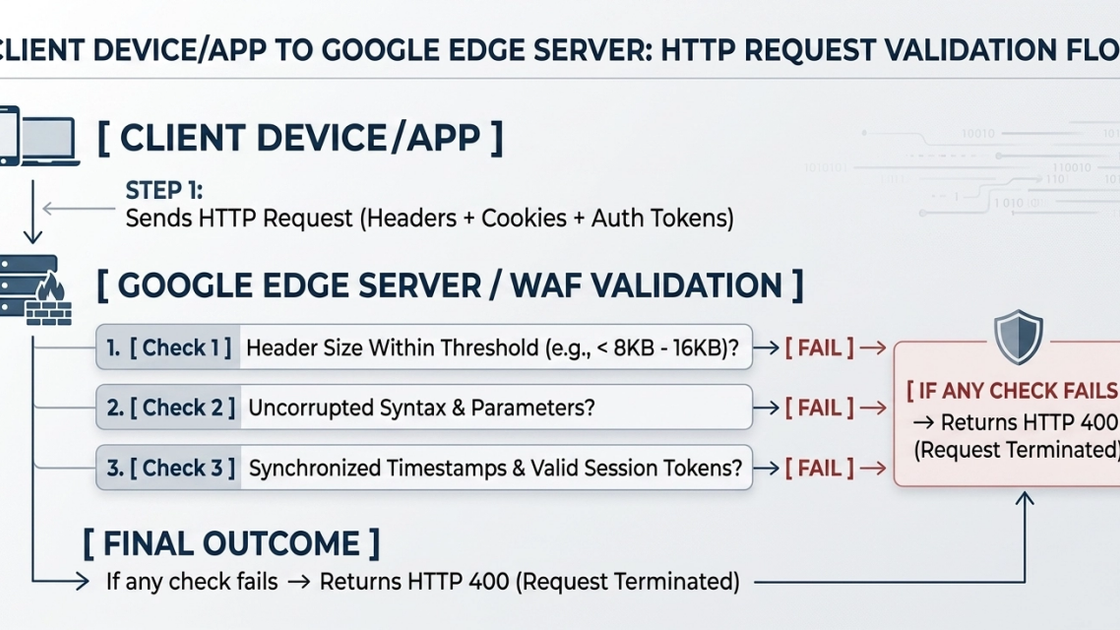
The message is a generic product label. It does not expose the precise validation rule and should not be treated as proof of an outage, WAF decision, cookie-size threshold, or expired token.
Common Root Causes
Common checks include the current app/browser version, app cache or site data, device time, extensions, VPN/proxy/firewall policies, captive portals, and temporary service issues.
How to Fix YouTube Error 400 on Mobile
Step 1: Update, Restart, and Clear App Data Carefully
Update the official YouTube app, force-close it, and restart the device. On Samsung or Android, try Clear cache before Clear data; clearing data signs you out and resets local settings. On iPhone/iPad, offload or reinstall the official app if update and restart do not help.
Clearing local app data does not delete cloud playlists or subscriptions, but can remove downloads, preferences, and local sign-in state. Confirm account recovery information first.
Step 2: Calibrate Date & Time Settings
Incorrect date, time, or time zone can interfere with secure connections and time-sensitive credentials. Enable automatic date/time and time zone, then restart. An HTTP 400 response alone does not prove a timestamp problem.
Step 3: Use a Supported Official Client
Outdated builds and end-of-life operating systems can submit unsupported requests. Update the official client and OS; if the app cannot be updated, test a supported browser. This guide does not instruct readers to patch modified clients, spoof versions, or bypass platform controls.
Client environment | Why Error 400 may appear | Recommended solution |
|---|---|---|
Official YouTube app | Outdated build or damaged local state | Update from the official store, restart, and clear local data only if needed. |
Third-party or modified client | Unsupported implementation or incompatible request format | Reproduce the issue in the current official app or a supported browser; contact the client maintainer separately. |
Legacy OS or EOL device | Current app/browser is no longer supported | Use a supported device, OS, or browser rather than bypassing compatibility checks. |
How to Fix YouTube Error 400 on Desktop Browsers
Step 1: Remove Only YouTube Site Data
In Chrome Settings, open Privacy and security, find site data and permissions, search for youtube.com, and remove YouTube data. Remove related Google sign-in data only if the narrow cleanup fails and you understand it may sign you out. Edge and Safari offer equivalent privacy controls.
Step 2: Test Private Mode and Audit Extensions
If YouTube works in a private window, compare site data and extensions in the normal profile. Disable half of the likely extensions, retry, and continue narrowing the affected half. Do not disable organization-mandated security tooling without approval.
Network & IP-Level Troubleshooting
Check Service Status and the Local Network
Review YouTube's official known-issues page and reproduce the issue on another device or network. A third-party outage tracker is a secondary signal, not proof. Restart the device/router first; advanced Windows users can flush the DNS cache.
ipconfig /flushdnsVPNs, Proxies, Firewalls, and Captive Portals
Disconnect optional VPN/proxy software and test a direct connection. On a managed network, ask the administrator to inspect policies and logs instead of attempting to evade controls.
Network check | Direct/VPN/shared path | Authorized residential-proxy diagnostic |
|---|---|---|
Route comparison | Test the same official client on a direct trusted connection, then compare the managed path. | Use only for an authorized application or network test where a different geographic/ISP route is required. |
Request integrity | Check whether a firewall, filter, captive portal, or TLS inspection policy changes the request. | Preserve the application's normal headers; do not spoof fingerprints or bypass authentication. |
Platform response | Stop and review permissions when the service returns an access challenge, rate limit, or denial. | A residential IP does not guarantee acceptance, remove limits, or grant access authorization. |
MiyaIP dynamic residential proxies support rotation, sticky sessions, and country/city/ASN targeting; static residential proxies support a stable ISP address and longer session continuity. These are routing capabilities, not a YouTube access guarantee.
import os
import requests

proxy_url = (
    "http://"
    f"{os.environ['MIYAIP_USERNAME']}:"
    f"{os.environ['MIYAIP_PASSWORD']}@"
    "gateway.miyaip.com:10000"
)

response = requests.get(
    os.environ["AUTHORIZED_URL"],
    proxies={"http": proxy_url, "https": proxy_url},
    timeout=30,
)
response.raise_for_status()
print(response.status_code)
Use AUTHORIZED_URL only for an address you control or are permitted to test. Do not use this example to bypass YouTube restrictions or automate account access.
Conclusion & Quick Troubleshooting Flow
Work from the narrowest layer outward: confirm scope; update and restart; clear only relevant state; check time and extensions; test a direct network; then involve an administrator for managed paths.
Five-Step YouTube Error 400 Troubleshooting Workflow
1. Confirm the Error Scope
Check whether the failure affects one video, one account, one device, or every connection. Review YouTube's official known-issues page before changing local settings.
2. Update and Restart the Official Client
Update the official YouTube app or browser, force-close it, restart the device, and retry. Do not patch or spoof an unsupported client.
3. Clear Targeted App or Site Data
On mobile, clear cache before storage; on desktop, remove only YouTube site data first. Broader Google data may sign you out, so confirm account recovery details.
4. Synchronize Time and Isolate Extensions
Enable automatic date, time, and time zone. Use a private window as a control, then audit extensions with a binary-search approach.
5. Test the Direct Network Before Authorized Proxy Diagnostics
Disconnect optional VPN or proxy software and test a trusted direct connection. On managed networks, ask the administrator to inspect policies. Use residential-proxy routing only for a system and path you are authorized to test.
Frequently Asked Questions
Why does YouTube say "There was a problem with the server [400]"?
It is a generic message for a request YouTube could not process. RFC 9110 classifies 400 as a client-error response, but that label does not prove the user is at fault or reveal the exact validation rule.
Will clearing cache and cookies sign me out everywhere?
Not if you remove only YouTube site data. Clearing broader Google sign-in data can sign you out of related services, so start with the narrowest domain and confirm recovery options first.
Can a VPN or proxy trigger YouTube Error 400?
It can contribute if it changes routing, filtering, or request handling. Test a direct trusted connection first. Do not switch routes to evade a platform restriction; on managed networks, work with the administrator.
Why does YouTube work in a private window but not a normal tab?
Private mode changes stored site state and often extension behavior. The result narrows the investigation to profile data or extensions, but does not identify which one without further testing.
Why is YouTube Error 400 common on Samsung and Android devices?
It can follow stale app state, an outdated build, or incorrect device settings on any Android device. Update and restart first, then clear cache and verify automatic date/time settings.
Sources and Compliance Note
YouTube troubleshooting guidance
Google Chrome: Delete, allow and manage cookies
Google Chrome: Install and manage extensions
Use only official applications and authorized networks. A proxy changes routing; it does not grant permission, remove platform terms, or guarantee access.
Compare a permitted route without evading platform controls
Use dynamic residential proxies for approved rotation and location testing, or static residential proxies for an authorized session that needs a stable ISP address.